


TrolyPage

An autonomous Marketing & Sales operating system for businesses that want AI-powered omni-channel growth.

Contact Info

Follow Us

Skip to content

One Story, with the message in the media.

Prepare a Story from one image or a 1–50 second MP4. Leave the caption empty and confirm the account and time.

Original topic illustration Stories
Original illustration, not a customer or real-world result.

Stories

Put the message, visuals and audio into the file before adding it to TrolyIG. The current Story workflow does not create separate text or stickers.

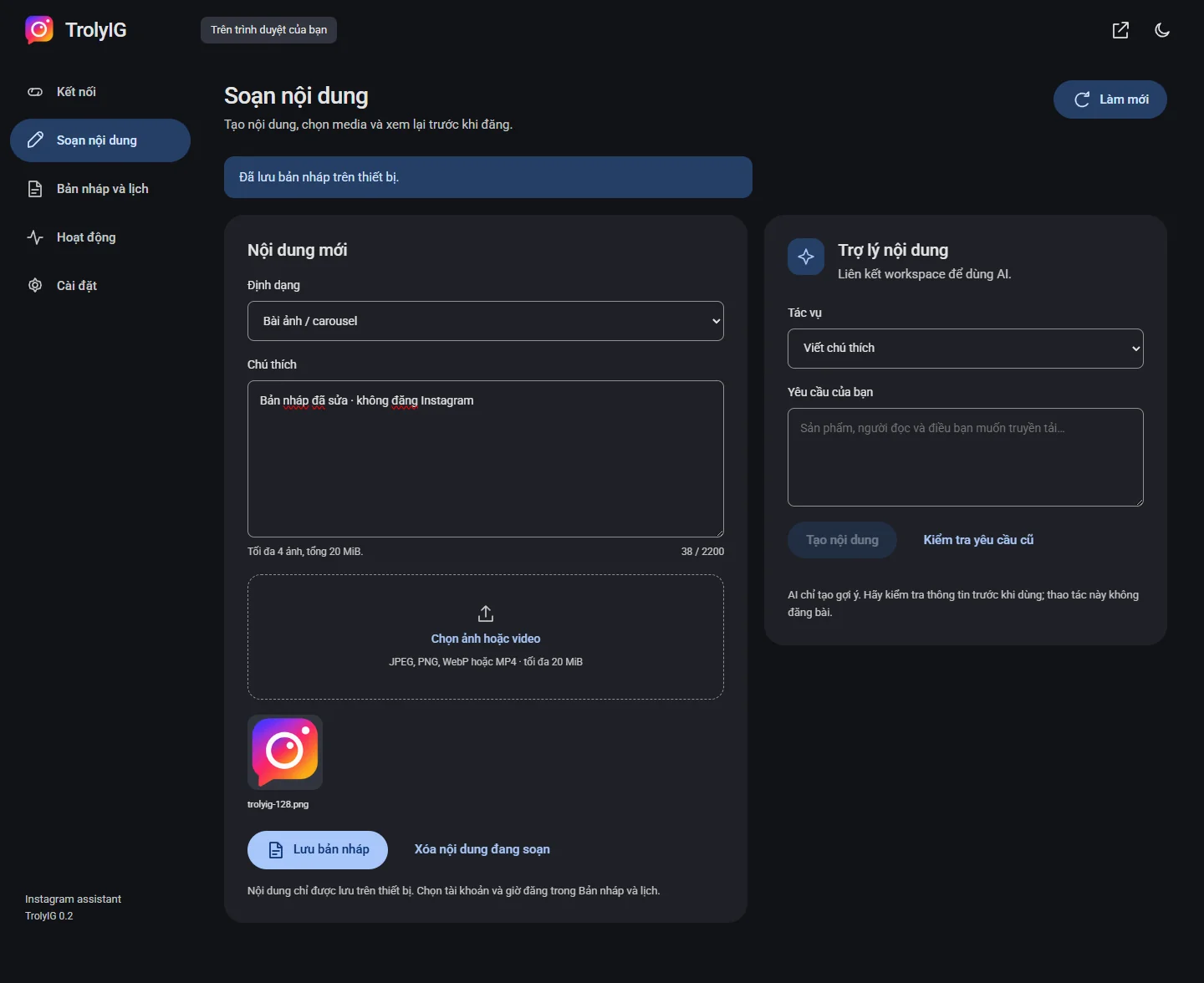
TrolyIG interface with sample data
Preview 0.2.0 interface · sample data · the extension interface currently uses Vietnamese.

Choose one media file

Select Story in Soạn nội dung. Add one JPEG, PNG or WebP image, or a 1–50 second MP4.

Leave the caption empty

Include required text in the image or video. Check that it remains readable on a phone screen.

Save and confirm

Preview the draft, choose the account and confirm publication now or at a specific time. Longer videos are not split into several Stories.

Your next post.
Prepared your way.

Learn how to install TrolyIG and prepare your first draft.