I publish for my own business
Compose posts, save templates, select groups and schedule from your browser.
Explore the extension

An autonomous Marketing & Sales operating system for businesses that want AI-powered omni-channel growth.
Choose the display language for content and links.
Compose a post, choose relevant groups and decide when to publish. A Facebook Groups extension connected to your TrolyPage workspace.
 TrolyFBInteractive demo · Illustrative content
Fresh bread is coming out of the oven this weekend. Here are our menu and opening hours to help you plan a visit.

You choose the communities that fit.
3 groups selectedDifferent results are shown separately.
Try selecting groups. This button only runs a demo; it does not publish.
Prepare posts yourself, work with a workspace or organize content for your team.
Compose posts, save templates, select groups and schedule from your browser.
Explore the extensionSync selected groups to Social Posts, receive approved tasks and use your workspace AI.
See how to connectPrepare content and track results in one workflow. The publisher's Facebook session stays on their device.
For your teamAn extension for preparing and publishing posts to the Facebook groups you select. Your identity, destination groups, content and schedule stay in one workflow for you to review before starting.
When you connect TrolyPage, you choose which groups to sync. Social Posts and AI use your familiar workspace.
Explore each feature
Prepare once, choose relevant destinations and track each result.
Start fresh, use a saved template or ask AI for a draft, then make it your own.
Learn about AI
Select individual groups or a collection. Check that your content and identity suit each group.
Publish now or prepare a schedule. Track published posts, pending approvals and results that need checking separately.
The demo's groups, content and results are examples. Each group's posting permissions and moderation still apply.
Find the task you need. AI and Lead Radar provide additional help; they are optional parts of publishing.
Keep your identity, destinations and content together. Review the important choices before you start.
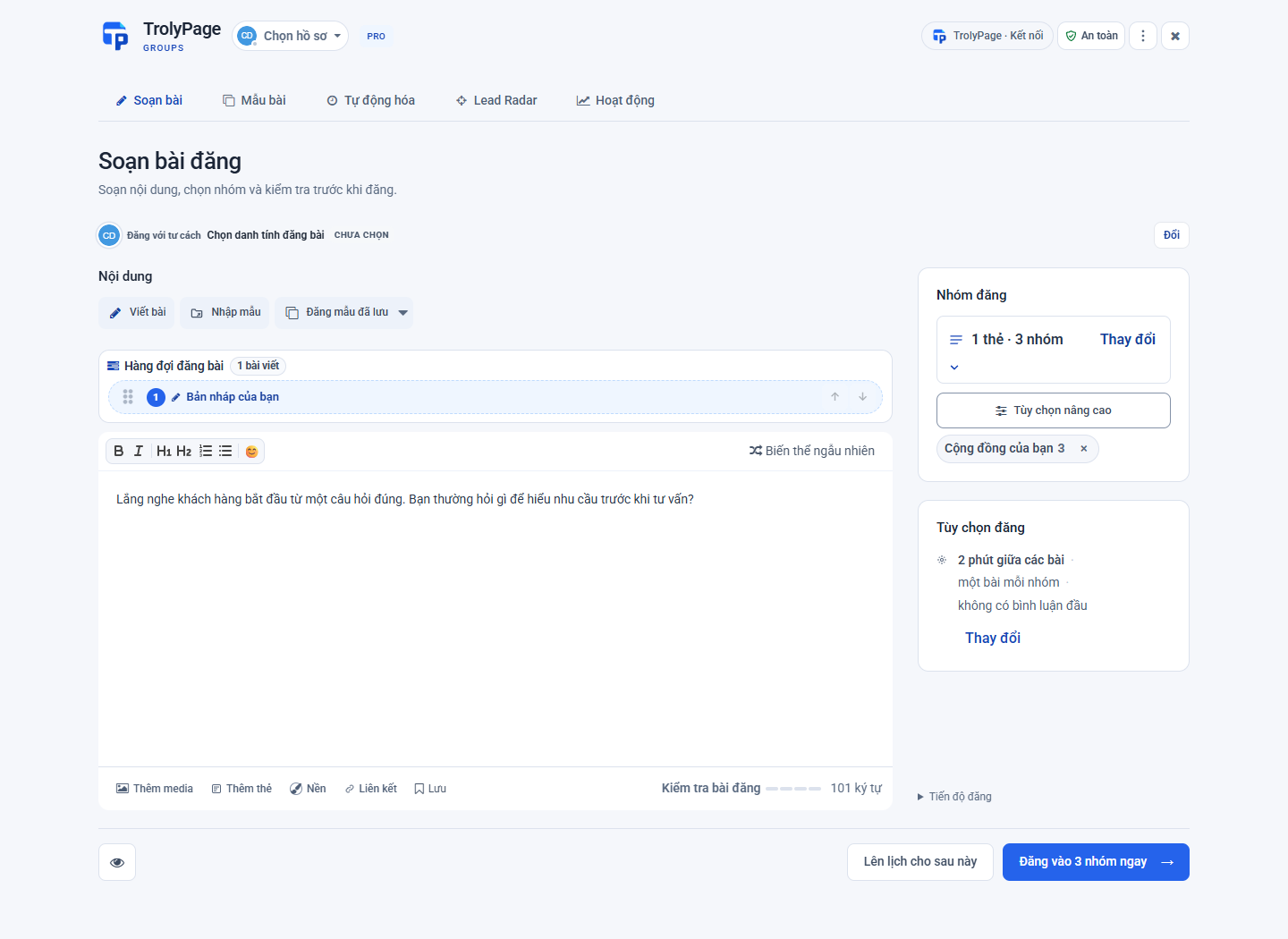 Actual extension interface · Illustrative data. Screenshots show the Vietnamese interface.
Prepare a simple schedule or a campaign with several steps. Your computer and browser must be ready when it is time.
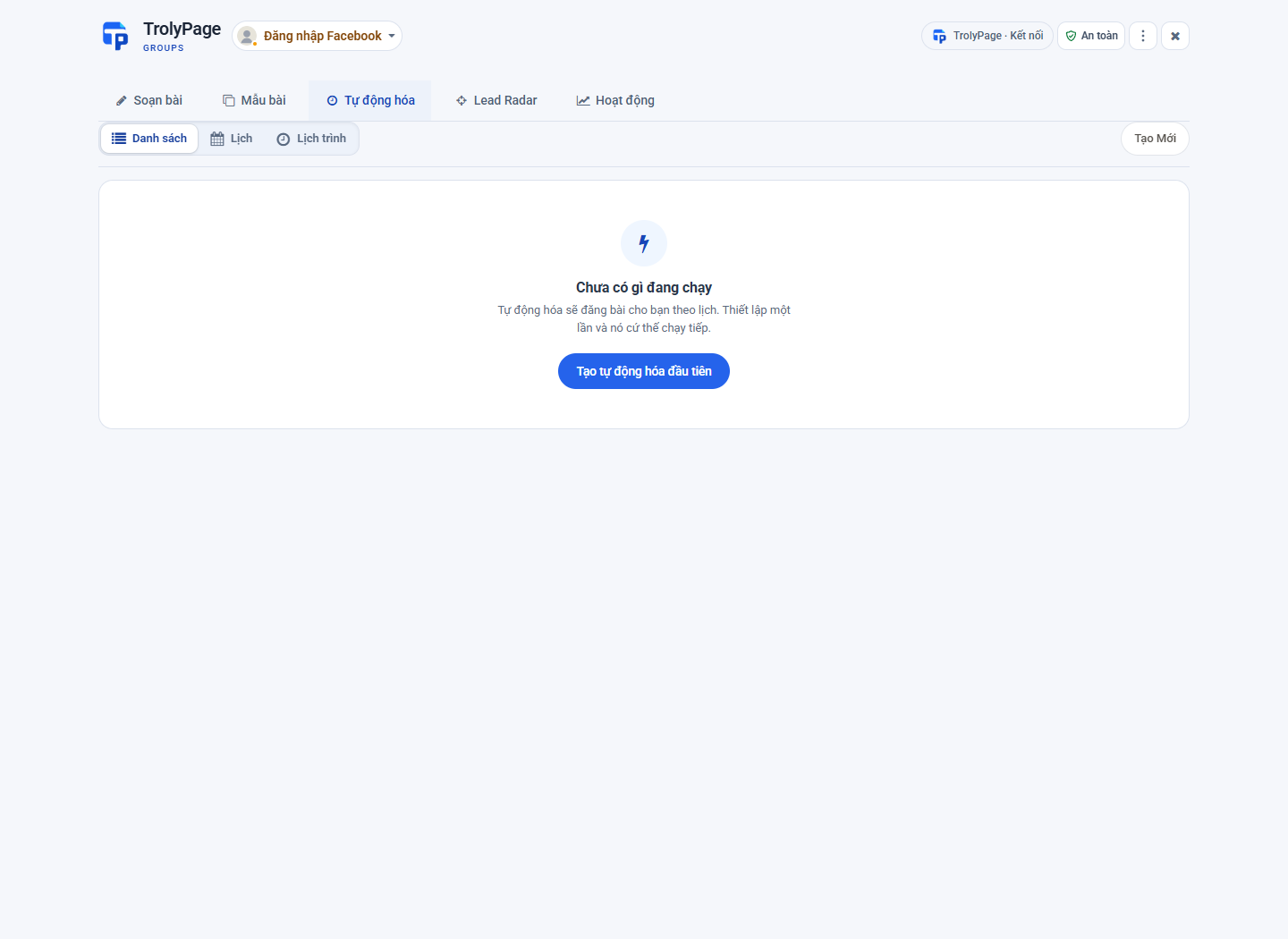 Actual extension interface · Illustrative data. Screenshots show the Vietnamese interface.
AI uses workspace settings within the device's permissions and quota. A result does not automatically become a published post.
 Illustration created for TrolyPage.
Track relevant phrases in groups. Read the original post and consider a response in context.
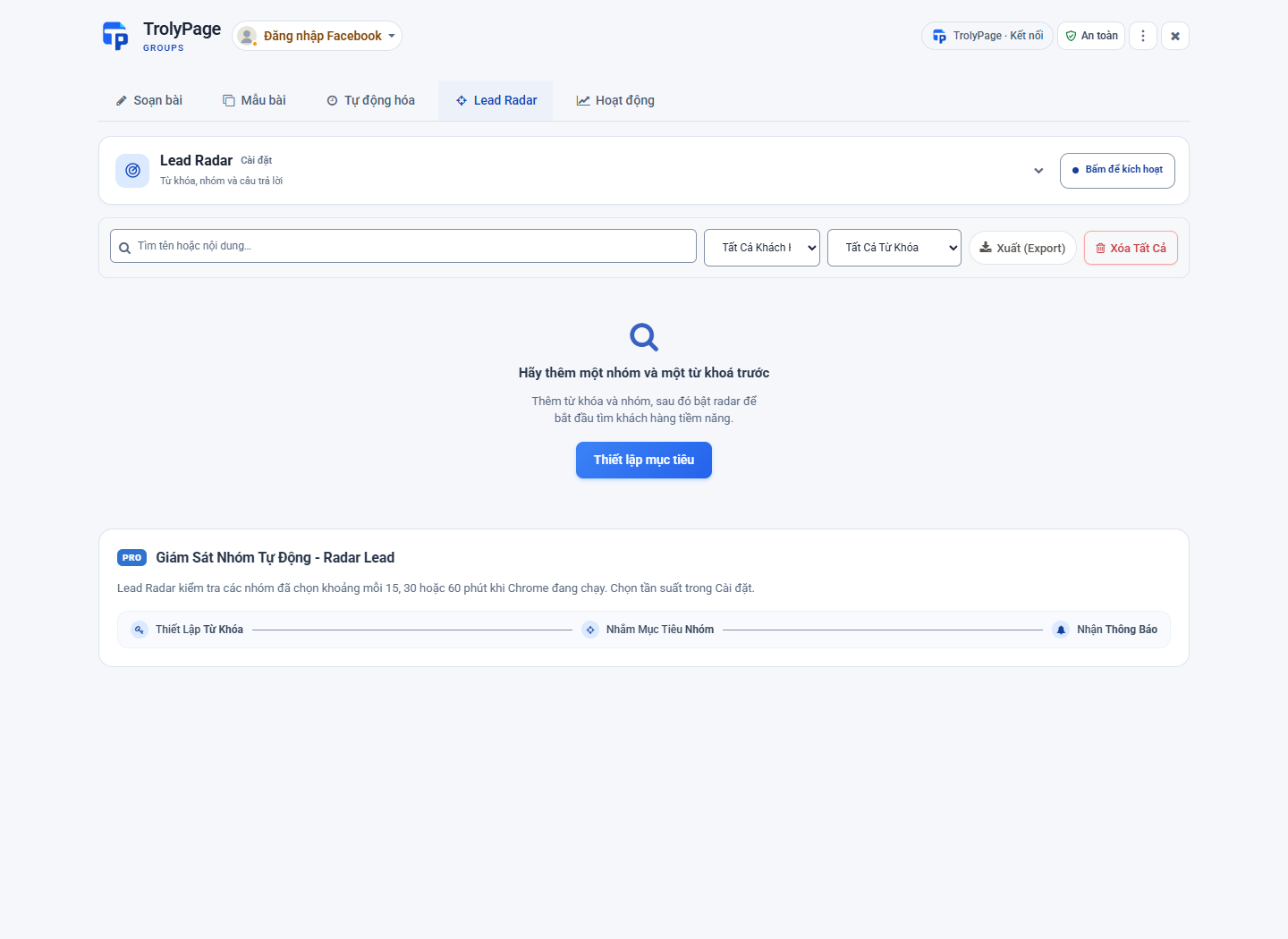 Actual extension interface · Illustrative data. Screenshots show the Vietnamese interface.
Identity, content and groups in one workflow.
Choose a profile or Page with permission to post in the group.
Organize groups by topic and task.
Save content to prepare your next post.
Prepare text, links and images.
Choose the time and check recurrence.
Organize multiple steps and pauses.
Use templates and wording you have reviewed.
Keep the groups you need in the extension.
A manual option in the extension's publishing workflow.
Check results for each group and tasks needing review.
Manage data manually inside the extension.
Confirm a single-use code and the right device.
Choose what to share with TrolyPage.
Draft, rewrite, create variants and review with permission.
Distinguish published, pending and uncertain results.
Compose and set up schedules directly in the extension. Only sync the groups you choose when connecting a TrolyPage workspace.
Explore data & permissionsWrite once. Choose your groups. Spend time on what you want to share.
Start with TrolyFBChoose where to begin: directly in the extension or with your TrolyPage workspace.
For everyday group content and publishing.
For content, groups and AI in your workspace.

Prepare useful content for shoppers, choose groups suited to each topic and keep post templates to use again.
Explore this use case
Share opening hours, event details or useful knowledge in local groups where you have checked your permission to post.
Explore this use case
Your team prepares content in the TrolyPage workspace. A paired device carries out approved tasks with the right publishing identity and groups.
Explore this use case| Task | One group at a time | In the extension | With TrolyPage |
|---|---|---|---|
| Prepare content | Repeat the steps yourself | One composer and reusable templates | Compose in Social Posts |
| Choose where to share | Open each group | Groups, labels and collections | Groups synced by your device |
| Scheduling & planning | Keep track yourself | Schedules and campaigns in your browser | Prepare content in your workspace |
| AI writing assistance | A separate tool, if available | Open AI after connecting a workspace | Shared settings, permissions and quota |
| Track results | Check each destination yourself | Publishing task activity | Device status and reconciliation |
| Facebook session | In your browser | Stays on your computer | Cookies are not sent to the workspace |
Understand installation, connections and post tracking before you begin.
View all questionsComposing, templates, group management and local schedules are available in the extension. Connect a TrolyPage workspace to sync groups, receive Social Posts tasks and use AI with the permissions granted.
Yes. The extension runs on your computer. Your computer must be awake, and the browser must be online with the correct Facebook session. Schedules cannot publish while your computer is off or the browser is closed.
No. AI creates suggestions for you to review. You choose whether to use the result in a draft, select groups and approve the publishing task before it starts.
Yes. The workspace grants AI permission to each device. Usage goes through TrolyPage's actual AI settings and quota; you do not need to enter an AI provider key in the extension.
The names, links and labels of groups you select. Facebook cookies and group member lists are not sent to TrolyPage. Device information, publishing identities and results are used to manage the connection and publishing tasks.
Manually added groups can be kept in group management. To be used as a Social Posts destination, a group must be synced by the paired device, linked to the correct identity and currently eligible.
From installing the extension to checking a delivery. Find a practical guide for the task at hand.
TrolyFB. Part of your workspace and everyday work.