


TrolyPage

An autonomous Marketing & Sales operating system for businesses that want AI-powered omni-channel growth.

Contact Info

Follow Us

Skip to content

Start with the right files.

Check file formats, count, size and caption limits before saving a TrolyIG draft.

Original topic illustration Media and limits
Original illustration, not a customer or real-world result.

Media and limits

Suitable files help you keep the intended content and avoid changes at scheduling time. TrolyIG does not silently shorten captions to fit the limit.

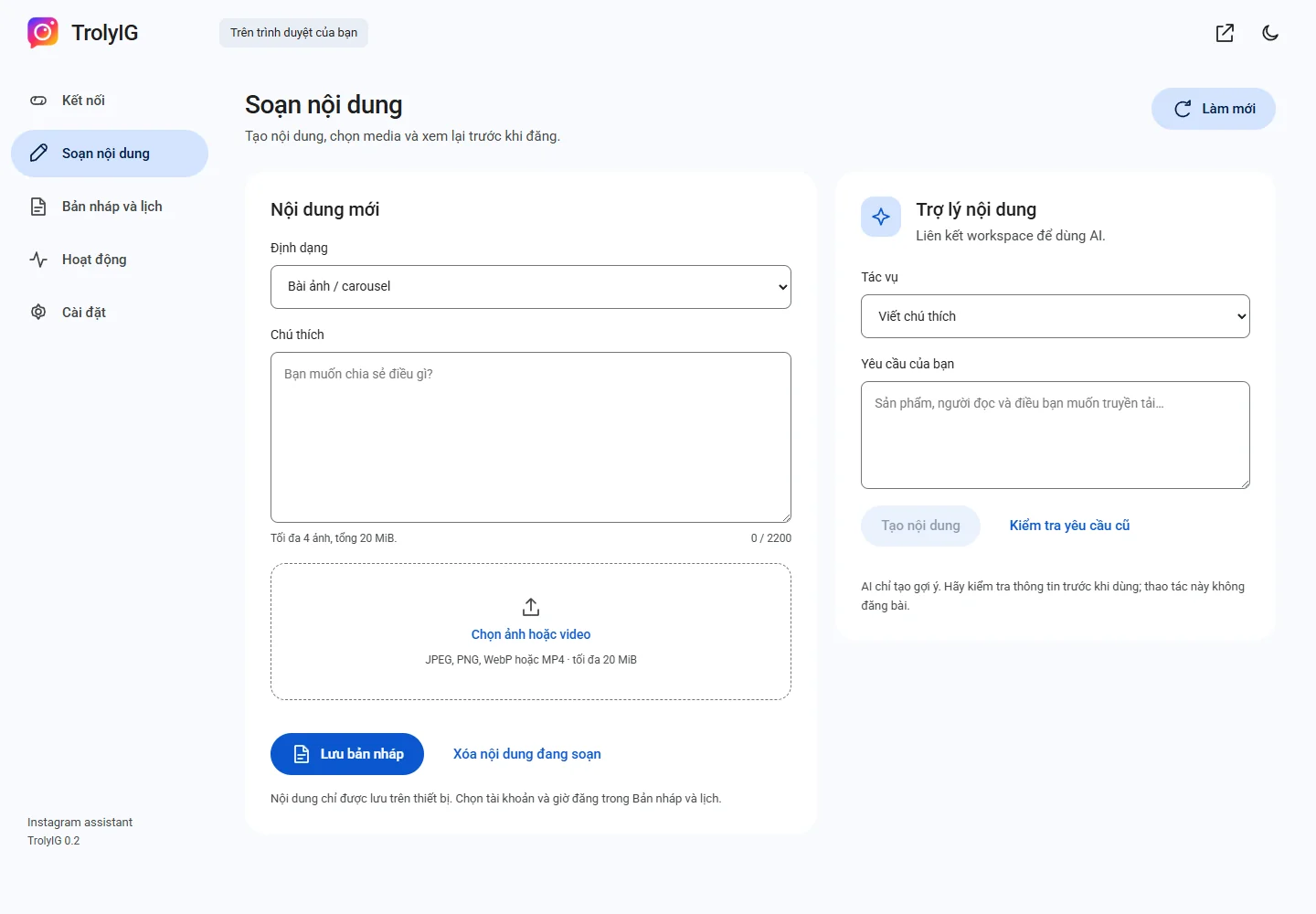
TrolyIG interface with sample data
Preview 0.2.0 interface · sample data · the extension interface currently uses Vietnamese.

Choose files for the format

Feed posts accept one to four JPEG, PNG or WebP images. A Reel accepts one MP4. A Story accepts one image or a 1–50 second MP4.

Check size and text

Each draft allows up to 20 MiB of media. Image posts and Reels have a 2,200 UTF-16 code-unit caption counter; Story captions must be empty.

Preview the original files

Review image order, orientation, on-screen text and audio. Make needed edits in your media editor before saving.

Your next post.
Prepared your way.

Learn how to install TrolyIG and prepare your first draft.