TrolyFB runs from your signed-in Facebook session in your browser. You choose the content, eligible groups and when to start. Manual posting in the extension does not require a workspace connection.
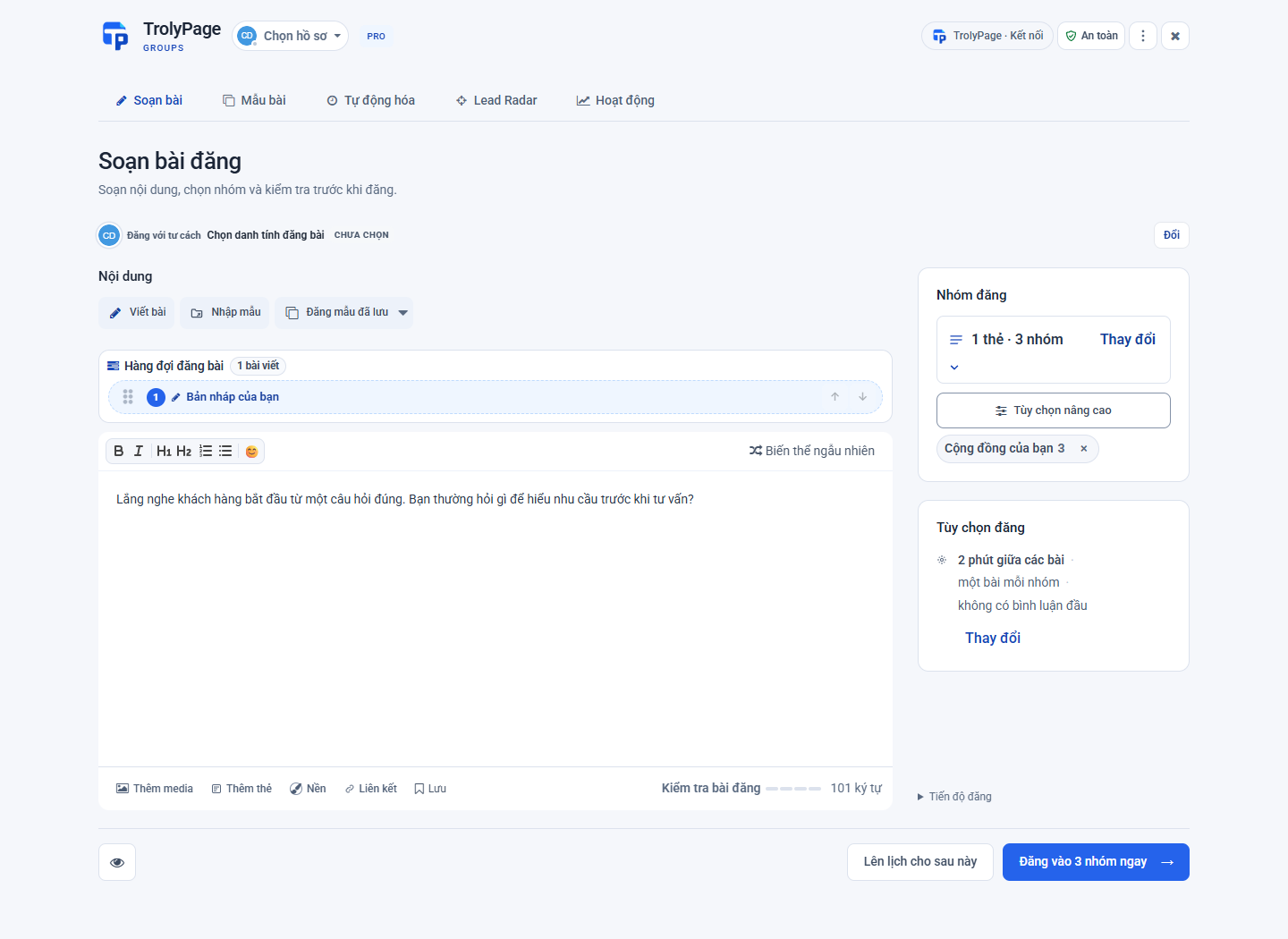
From preparation to results
Choose your posting identity
Check the profile or Page shown in the identity selector. Each identity has its own group list. A Page can only post where that Page is allowed to participate and publish; a saved group name does not prove permission.
Compose and check your media
In Compose, write a fresh post or use a saved template. Review the text, links, images or video using the extension’s controls. If you use wording variations, check that every version keeps prices, addresses and conditions accurate.
Select relevant groups
Choose individual groups or an organized collection. Review the final count and remove any group that does not allow this content. A small first run makes it easier to inspect the results.
Review, then start
Use Post Now when the content is ready. Check the identity, destinations and posting gaps in the confirmation. Keep your computer awake, online and your browser open during the run. Stop the run if your plans change.
Read each group’s result
Open Activity after the run. Awaiting admin approval is different from a post visible in the group. When an outcome is uncertain, open the group and check before deciding whether to send again.
Before you begin
- Workspace Social Posts deliveries currently support text and up to four JPEG/PNG/WebP images, 20 MiB total. Video and spintax require manual handling in the extension.
- Facebook permissions, group rules and admin approval still apply.