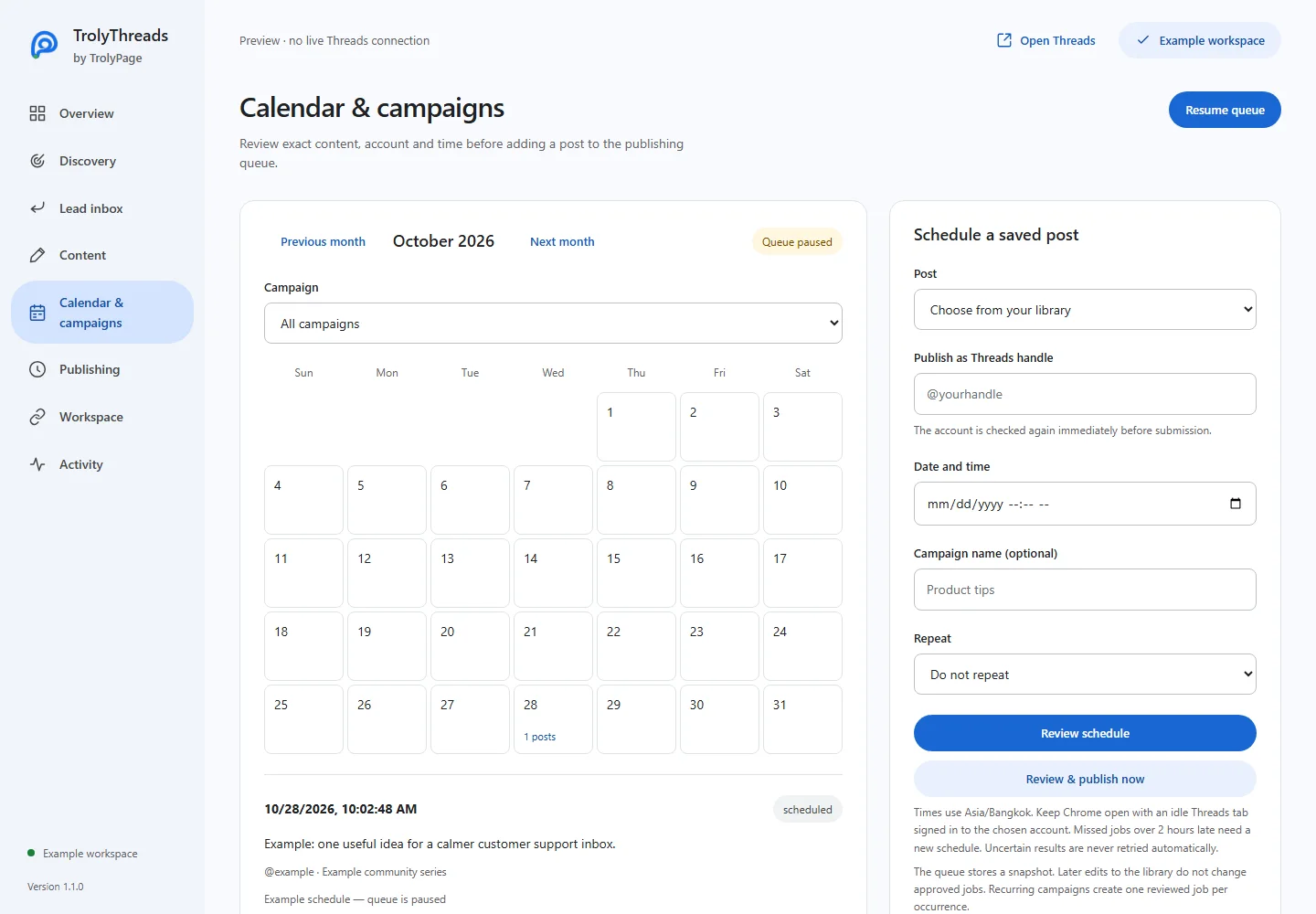
Prepare the post in Content first. The computer must remain awake with Chrome and an idle Threads tab signed in to the reviewed profile when the job becomes due.
Before you begin
Save the library entry you intend to publish. Check the timezone displayed in Calendar & campaigns. The schedule uses the browser timezone, not an assumed fixed Taiwan or Vietnam time.
Choose content and account
Select the saved post and Threads handle. Add a campaign name if this occurrence belongs to a named set. Review the media attached to the saved entry before continuing.
Choose the date and time
Enter the future date/time and leave Repeat as Do not repeat for a single occurrence. Use the month grid to inspect other work around that date. A date chosen in the grid can be adjusted in the time field.
Approve the immutable snapshot
Click Review schedule. Read the exact post, attachment, handle and timestamp, then Approve schedule. A later library edit will not update this approved snapshot; change the planned job deliberately instead.
Keep the matching tab available
Check that the queue is enabled and the correct Threads tab is idle. The job waits for a matching signed-in account. More than two hours overdue becomes missed rather than an unexpected late publication.
If the schedule needs changing
Cancel an eligible pending browser job and create a newly reviewed schedule. Check unknown outcomes on the actual profile before resolving. Workspace-approved deliveries must be changed or reconciled in TrolyPage.