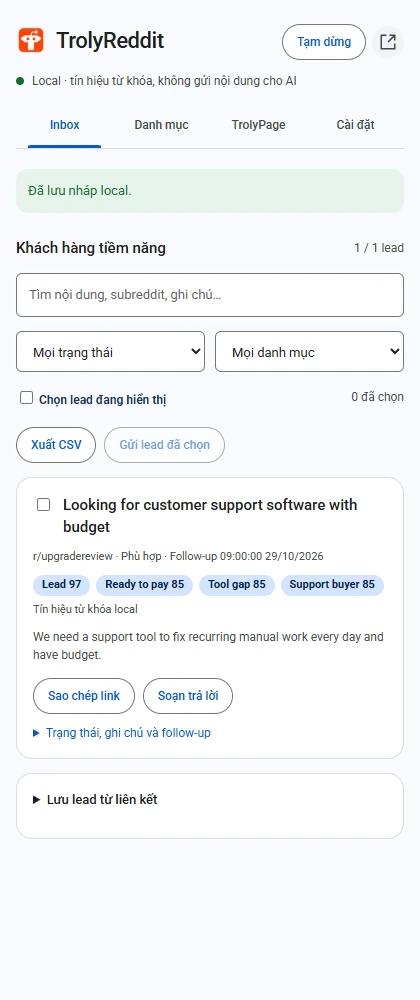
Update a lead after reading
Open the record’s stage, notes, and follow-up controls in the Inbox.
Check the source
Read the thread and any newer comments. Identify assumptions that still need verification.
Record the next step
An illustrative next step is to understand the current support process. Do not invent budget, email, or phone details.
Choose tags and a revisit time
Use tags meaningful to your team and choose a suitable time. Save before leaving the record.
Filter due items when you return
Open the follow-up filter, reread context, and update the stage after verifying the outcome yourself.
When working with a workspace
Notes and follow-up dates can travel with a confirmed lead batch. If another device changes the record, review the server state instead of forcing an older copy over it.
- A follow-up time does not automatically create a Calendar event.
- It does not automatically send a message or per-lead follow-up notification.
- Changing a stage is your own data-management action.