
Enable the integration, then pair with a code
TrolyReddit starts disabled in each workspace. Saving a business profile does not enable it; an owner or administrator must enable it from Integrations before pairing a device.
Enable from Integrations
In TrolyPage, open Integrations → TrolyReddit → Enable. Check the current workspace; the TrolyReddit card will then appear under Channels & Social → Automated Posting.
Open Channels and get the extension code
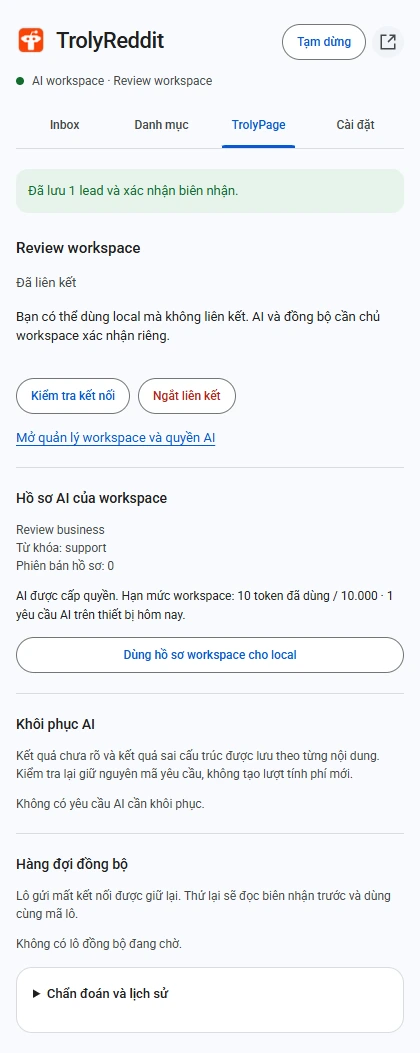
Go to Channels & Social → Automated Posting → TrolyReddit to open connection management. In the extension’s TrolyPage tab, create an expiring pairing code and enter it on the confirmation page; you can copy, cancel, or replace an expired code.
Review the device
Check TrolyReddit, the device name, and the workspace before approving. AI permission is a separate choice.
Return to check status
The open panel updates status automatically. Check the connection when needed; a pending code is not an approved connection.
Change permissions without losing the Inbox
An administrator can change a device’s AI permission. Pausing blocks new writes while retaining access to previous results and receipts; local work does not depend on cloud being enabled.
- Disconnect the current workspace before pairing a different one.
- A local disconnect during a network failure does not prove server revocation; verify it in device management.
- The local Inbox remains when permissions change or the connection is removed.