Review and send a batch
Complete device pairing first; write permission and the integration must still be active.
Filter, then select
Read and select up to 100 leads. Check notes and stages before preparing the transfer.
Confirm the workspace
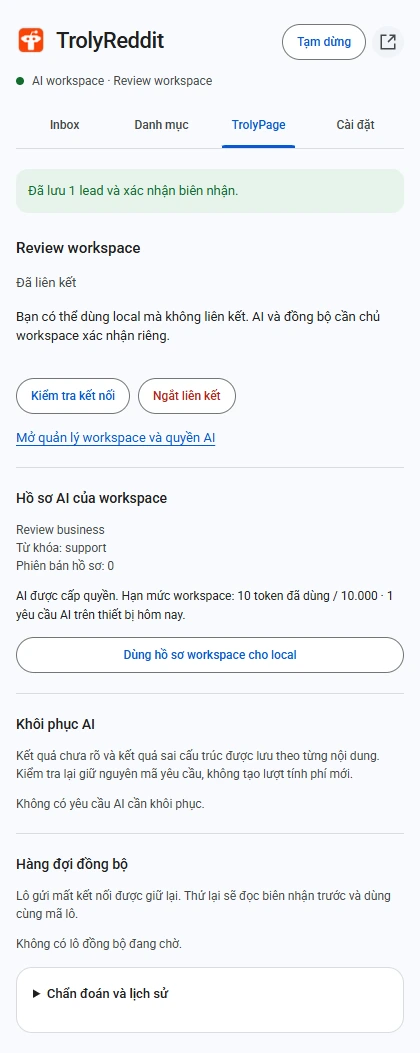
Read the displayed name and ID in the review step. Confirm and send instead of relying on a workspace name remembered from an earlier session.
Inspect the receipt
After success, open the TrolyPage lead store to inspect the records. If the response is lost, use recovery to check the existing batch.
Resolve version differences
When versions conflict, retrieve the server state for review. Inspect the records, then deliberately create a new batch if needed.
States that are not a final outcome
Prepared or Sending does not establish that the server saved the records. A stable batch ID lets you check again without turning a network failure into two independent writes.
- Another device cannot read this batch’s private receipt.
- If you edit locally while waiting, the receipt does not silently overwrite those newer edits.
- Sync does not invent contact details or automatically create CRM subscribers.