Facebook Messenger
3 min read

To manage multiple Facebook Pages without missing messages, you need three things:
- One inbox that collects messages from every Page.
- Clear ownership: who covers which Page and which shift.
- Filters and statuses that show which conversations nobody has answered yet.
Meta Business Suite covers the basics for free. Once you have several teammates, other channels such as Instagram, Telegram or website chat, or want AI to answer first, a multichannel inbox pays off.
Option 1: Meta Business Suite
If your Pages sit in the same business portfolio, you can switch between them in Business Suite's inbox.
- Pros: free; covers Messenger, Instagram and comments.
- Cons: one Page at a time, basic assignment and no shift rules. Website chat and other messaging apps aren't included.
It works well for 2–3 Pages and 1–2 people.
Option 2: A multichannel inbox
In TrolyPage you connect each channel under Channels & Social → Messaging: Facebook Messenger, Instagram, Telegram, website chat and more. Then you work everything from one inbox.
The inbox has three areas
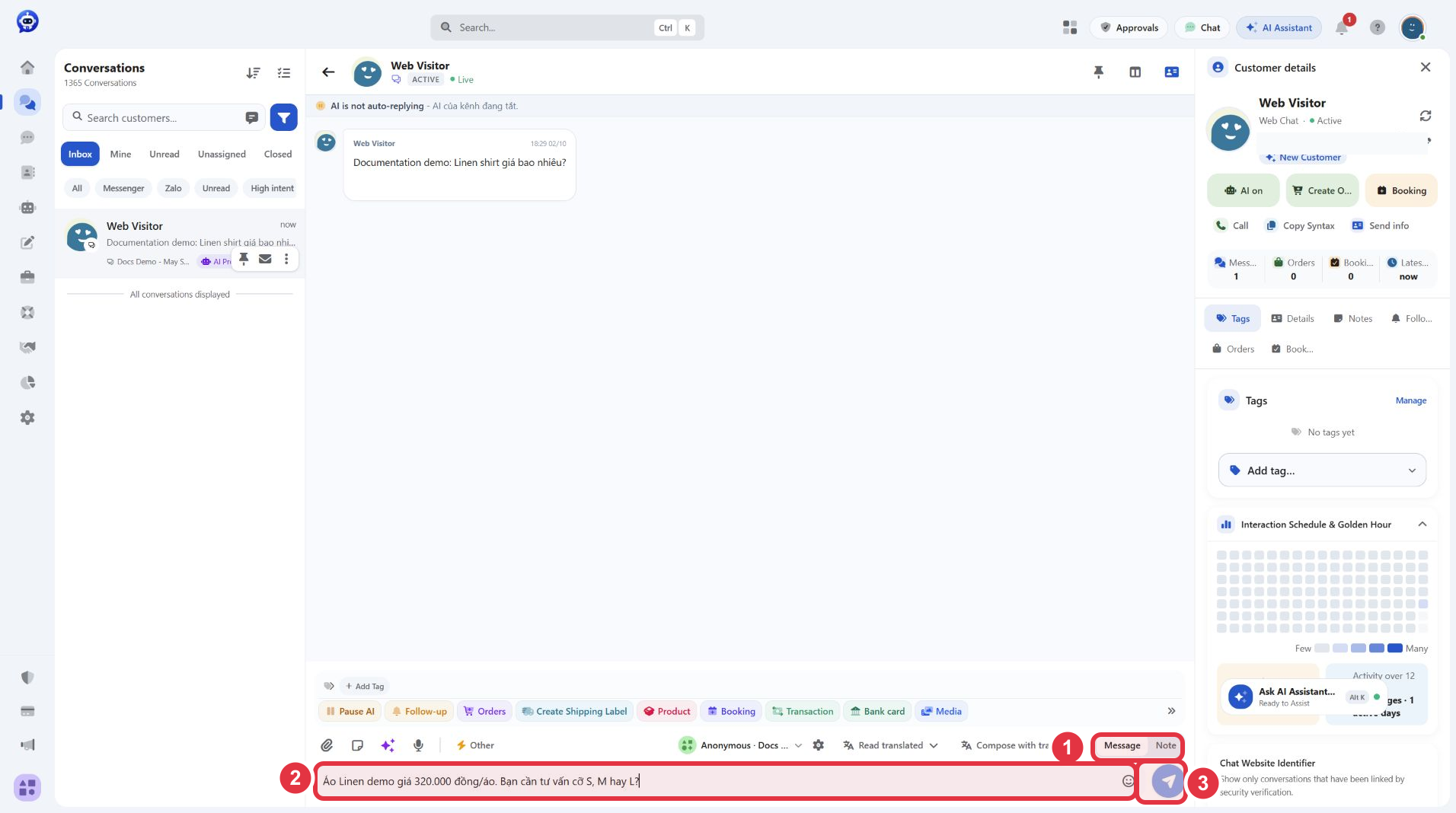
- Left: the conversation list, with channel icons so you know which Page a message came from.
- Middle: the chat history and composer. Switch from Message to Note to write internal notes customers never see.
- Right: customer tags, details and notes.
Assignment by shift
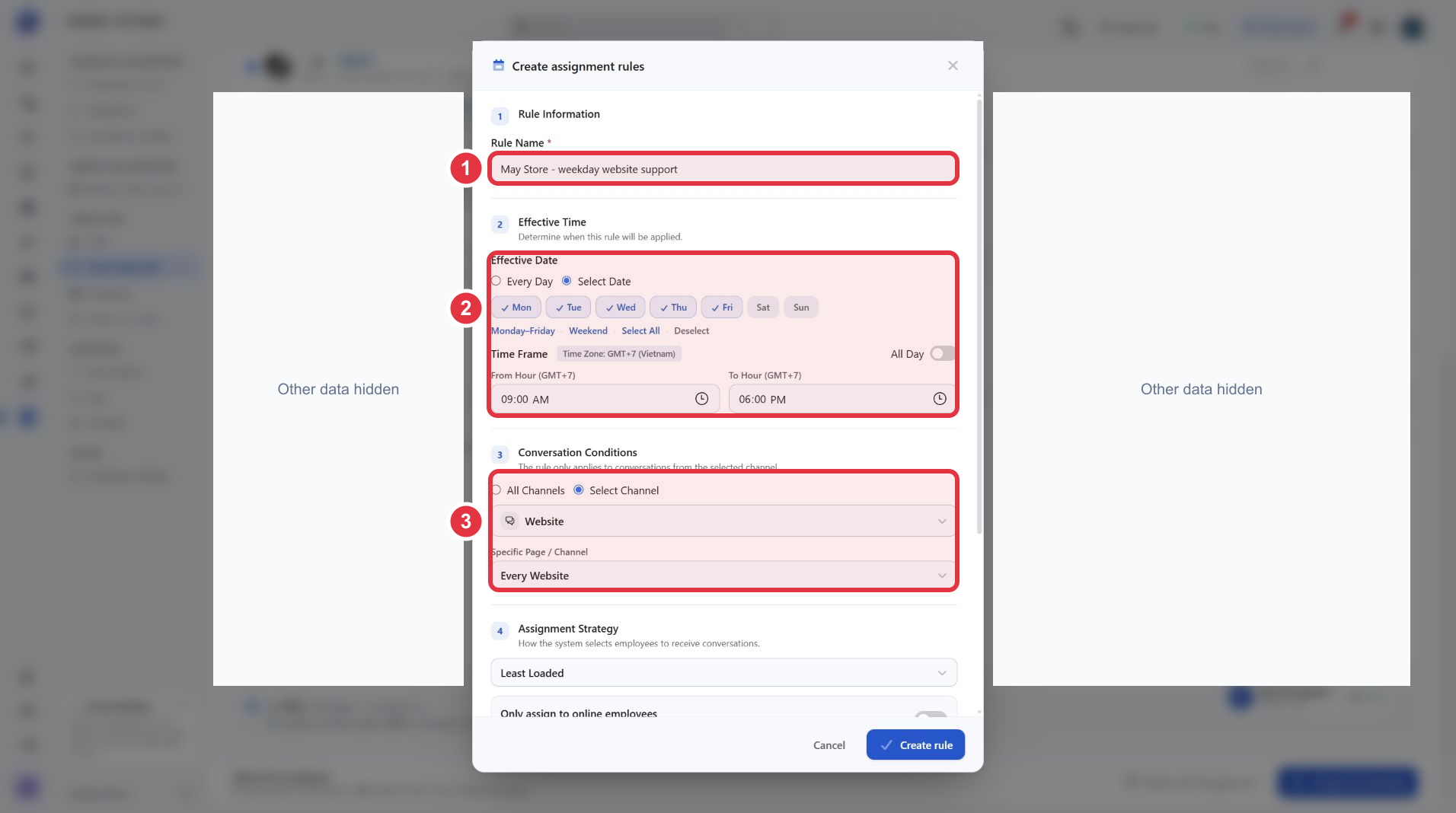
Under Chat Assignment, create a rule with:
- Working days and hours, for example 9am–6pm in your timezone.
- Channels: all channels or one specific Page.
- Assignment strategy: round-robin, least loaded, online agents only, or a specific person.
Before turning a rule on, use the simulation to check who would receive a conversation at a given time and channel. Test inside and outside the shift.
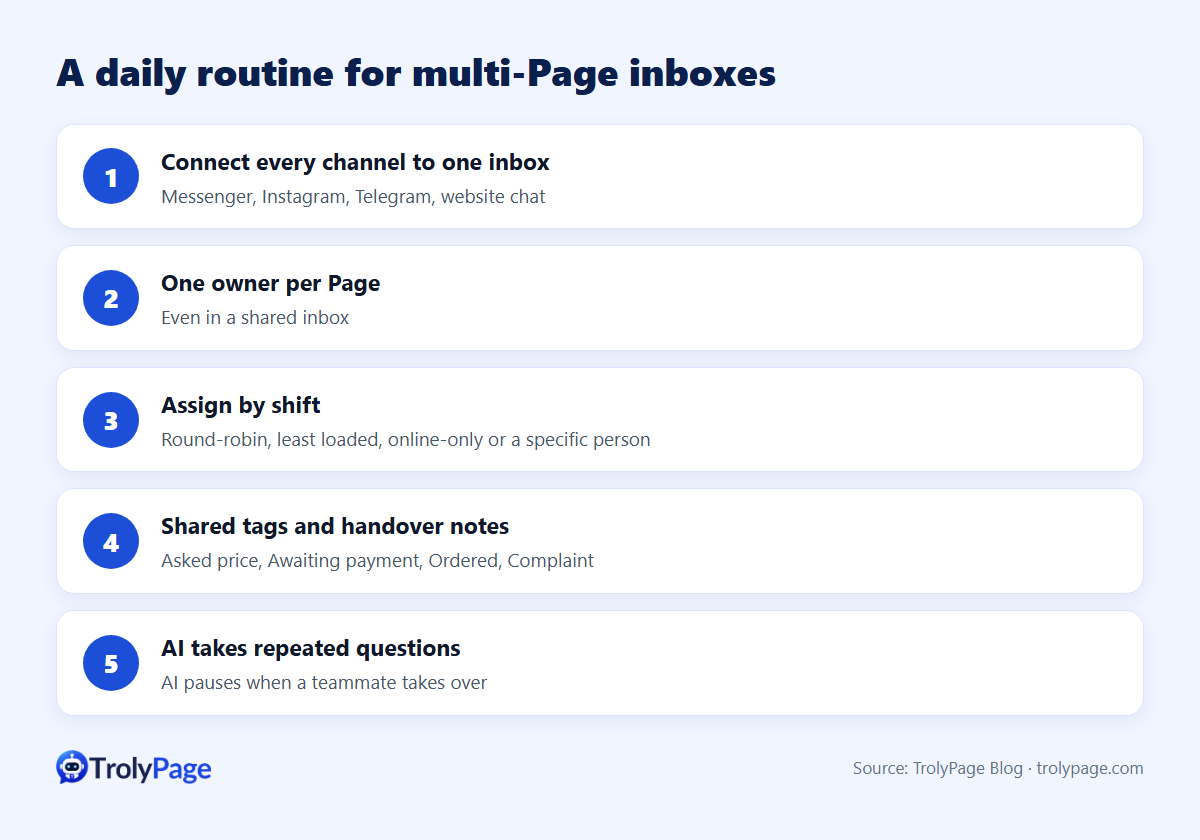
A daily routine for multi-Page inboxes
- One owner per Page, even in a shared inbox.
- Shared tag names across Pages: "Asked price", "Awaiting payment", "Ordered", "Complaint".
- Handover notes at shift change, for example "Asked about the linen shirt, quoted price, waiting for measurements."
- Check unassigned chats at the start and end of each shift.
- Let AI take repeated questions like price, shipping and opening hours. When a teammate takes over, the AI pauses in that conversation.
Why messages seem to "disappear"
- A filter is on: for example, "Unassigned" hides chats already assigned to someone. Clear filters before assuming messages are lost.
- Wrong Page connected: Pages with similar names are easy to mix up when granting permissions.
- Old history not synced: a new inbox may only show messages from after the connection was made.
- Permissions changed: the person who granted access left or changed their password.
Cost when you run several Pages
Many tools charge per Page or per connection. On TrolyPage, plans include a number of "service connections". By default, a Page used for publishing counts as one unit, messaging counts as one, and a Page used for both counts as two. See pricing for limits per plan.
FAQ
How many Pages can one person handle?
It depends on message volume, not the number of Pages. With AI answering routine questions, one person can cover more Pages because they only handle sales and exceptions.
Can I manage comments from several Pages together?
Use Meta Business Suite for Facebook Page comments. TrolyPage’s channel list gives the current scope for message inboxes and comment management.
Written by the TrolyPage team. Updated November 2026.