Facebook Messenger
4 min read

There are two ways to set up Facebook Messenger auto-replies for a business Page.
- Meta Business Suite's built-in automations (free): instant reply, away message and frequently asked questions. Good for greeting people and setting expectations.
- An AI chatbot connected to your Page: it reads each question and answers from your own product, pricing and policy data. Good when customers ask many different questions about products, shipping and returns.
This guide covers both, with copy-ready templates and a quick way to decide which one you need.
Option 1: Built-in automations in Meta Business Suite
Open Meta Business Suite → Inbox → Automations. Meta renames menus often, but these three automations usually live together.
Instant reply
Sent when someone messages your Page for the first time, or after a long gap. Use it to say hello and ask one useful question.
Template: "Hi! Thanks for messaging [Store name]. We reply between 9am and 6pm. Which product are you looking at? Send a link or photo and we'll check stock for you."
Away message
Sent outside the business hours you set. When your Page is in away mode, the away message usually takes priority over the instant reply.
Template: "We're offline right now and back at 9am. Leave your question, size and city, and you'll be first in line tomorrow."
Frequently asked questions
Shows a handful of suggested questions people can tap, each with a saved answer. Pick only your most common questions: shipping cost, return policy, store location.
Where built-in automations stop
- They match fixed triggers. They don't understand free-form questions like "I'm 5'4", which size fits me?"
- Every product-specific answer has to be written by hand.
- They can't check stock, create an order or route a chat to the right teammate.
Option 2: An AI chatbot for Messenger
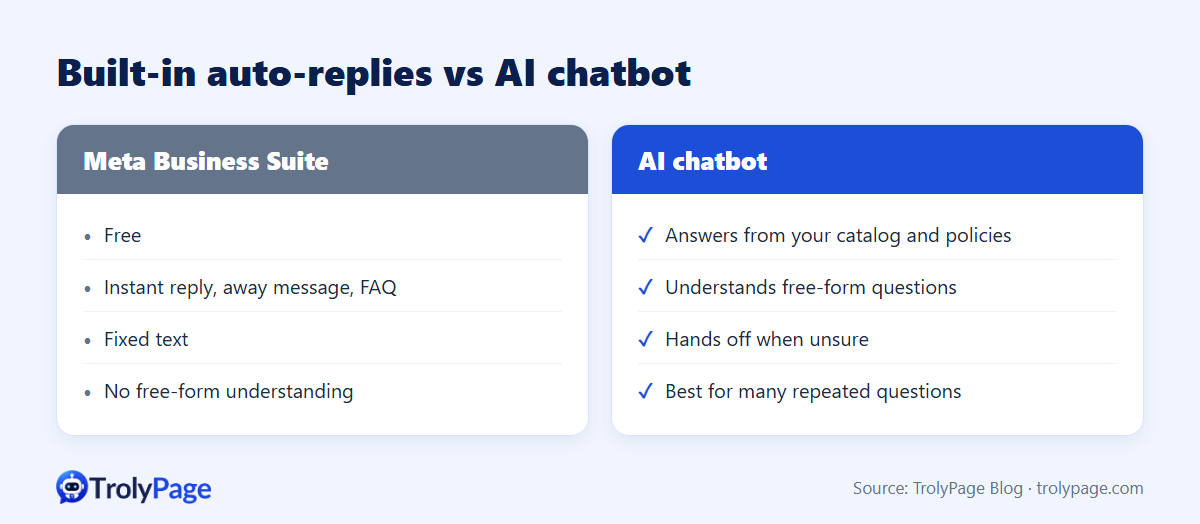
An AI chatbot answers from the documents you give it: catalog, size chart, shipping and return policy. Customers can ask in their own words, and the bot hands the chat to a person when it isn't sure.
| Meta Business Suite | AI chatbot | |
|---|---|---|
| Cost | Free | Subscription or usage-based |
| Understands free-form questions | No | Yes, within your data |
| Product-specific answers | Written by hand | Pulled from your catalog |
| Hand-off to a human | No routing rules | When the AI is unsure |
| Best for | Low message volume | Many SKUs and repeated questions |
Setting it up in TrolyPage
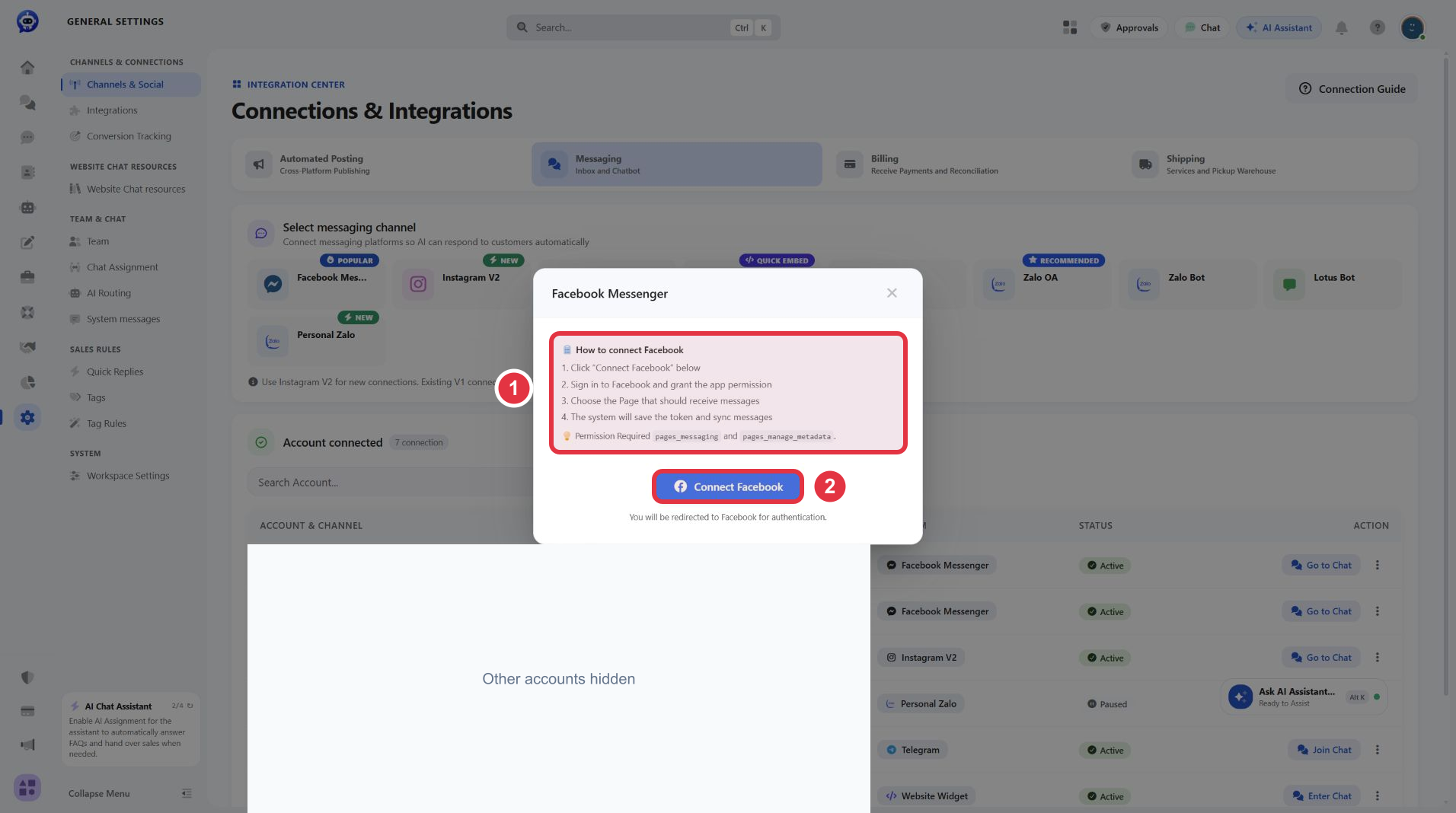
- Connect Messenger: go to Channels & Social → Messaging → Facebook Messenger, sign in with an account that manages the Page, choose the right Page and grant the requested permissions.
- Create an AI agent: the builder walks you through Purpose, Business knowledge, Workflow and Review.
- Add your store data: prices, variants, sizes, shipping fees and return rules. The clearer the data, the better the answers.
- Test before going live: use the agent's test run with real questions, including a few your data can't answer. The agent should hand those off, not guess.
- Set hand-off rules: when a teammate takes over a conversation, the AI pauses in that chat so customers don't get two answers.
Which one should you use?
- Under ~20 messages a day, few products: Meta's built-in automations are enough.
- Lots of repeated questions about price, size and shipping: an AI chatbot saves the most time.
- A team answering the inbox: combine them. AI handles routine questions, people close sales and handle complaints.
Common mistakes
- Stacking tools: a built-in instant reply plus a chatbot greeting means two welcome messages. Turn off overlapping automations.
- Long greetings: one sentence plus one question gets more replies than a paragraph.
- Promises you can't keep: don't say "we reply in 5 minutes" unless someone is on shift.
- Going live with thin data: if the return policy isn't in the bot's knowledge, it can't answer return questions correctly.
FAQ
Are Messenger auto-replies free?
Yes. Instant reply, away message and FAQ in Meta Business Suite are free.
Can a chatbot send promotions to past customers?
Only within Messenger's rules. Standard messages, including promotional ones, are allowed for 24 hours after the customer's last message. Outside that window, sending is restricted and promotional content generally isn't allowed.
How much does an AI chatbot cost?
TrolyPage's paid plans start at $8/month (Lite) as of November 2026. AI limits are measured in tokens, and the Free plan works as a time-limited trial. See pricing.
Written by the TrolyPage team. Updated November 2026. Meta's menu names may differ by account.