Facebook Messenger
3 min read

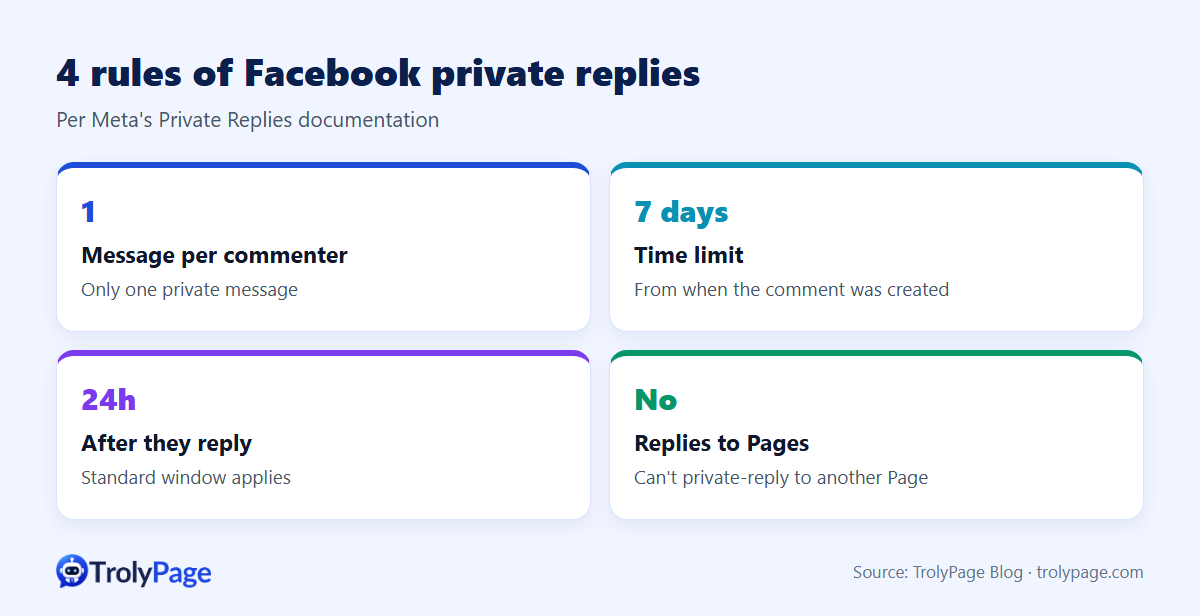
A Facebook private reply lets your Page send one Messenger message to someone who commented on your post. According to Meta's Private Replies documentation:
- Only one message can be sent to the person who commented.
- It must be sent within 7 days of the comment.
- The conversation continues under the 24-hour window only if they reply.
Used well, it's the fastest way to turn "price?" comments into real conversations.
Why reply privately instead of publicly?
- Keep offers private: special prices and stock details aren't visible to competitors.
- Ask follow-up questions: size, address, budget. These are awkward in a comment thread.
- Get a real conversation: once they reply, you have a Messenger thread you can keep helping in.
The best practice is both: a short public reply ("We've sent you a message!") so others see you respond, plus the private message.
How to send a private reply
In Meta Business Suite or on Facebook
- Open the comment in Business Suite's inbox or under the post.
- Choose Message / Send message next to the comment.
- Write and send. It lands in the person's Messenger with the comment as context.
In TrolyPage
Send the first private reply with Meta’s tools. When the customer replies and the Page is connected to TrolyPage, continue the Messenger conversation in the shared inbox.
Write the one message that gets a reply
- Mention the exact product they commented on.
- Answer their question right away: price, stock, shipping.
- End with one easy question.
- Keep it to 2–3 sentences.
| Comment | Private reply |
|---|---|
| "Price?" | Hi! The [product] in this post is $[price] and available in S–L. What's your usual size so we can check fit? |
| "Do you have it in black?" | Yes, black is in stock in [sizes]. Want a quick video of it in natural light? |
| "DM me" | Hi! Are you asking about the [product] from this post? Would you like the price or help choosing a size first? |
| "Ship to [city]?" | We ship to [city] in [days] days. Shipping is $[fee]. Want us to reserve one for you? |
Mistakes to avoid
- Sending the same promo to every commenter: people report it as spam, which can restrict your Page's messaging.
- Waiting too long: after 7 days you can't send at all, and most buyers have moved on within hours.
- Replying to other Pages: Meta doesn't allow private replies to another Facebook Page.
- No owner for replies: if nobody watches the inbox, the customer's answer sits unread. Route replies to a shared inbox with assignments.
FAQ
Can private replies be automated?
Many tools trigger them by keyword. Identical automated messages feel spammy, so tailor them by product and question.
What if the customer doesn't reply?
You can't send more Messenger messages from that comment. A public reply like "Check your message requests!" can help, because Page messages sometimes land in requests.
Does Instagram have private replies?
Yes, Instagram also lets businesses message commenters privately under its own rules. Check Meta's Instagram documentation.
Written by the TrolyPage team. Updated November 2026. Rules reference Meta's Messenger Platform Private Replies documentation.