Website Live Chat
3 min read

To add AI live chat to a Shopify store with TrolyPage Website Chat:
- Duplicate your theme as a backup.
- Open Online Store → Themes → Edit code and select
layout/theme.liquid. - Paste the snippet from TrolyPage Studio just above the closing
</body>tag. - Save, and check the storefront.
Then assign an AI agent trained on your catalog so shoppers get instant answers.
Before you start
- Theme-edit permission in Shopify Admin.
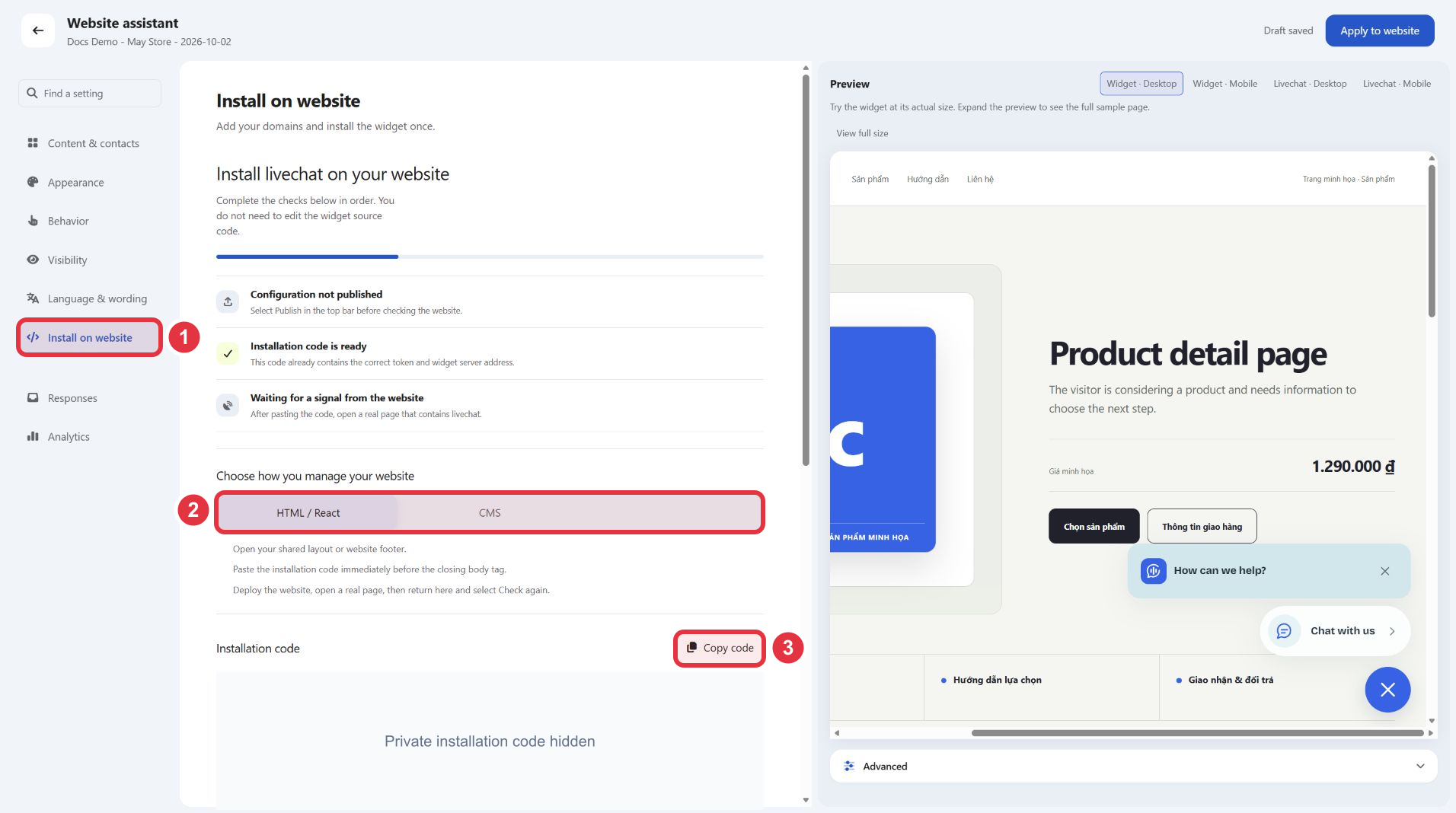
- A published website chat channel in TrolyPage Studio, with its complete snippet copied.
Step by step
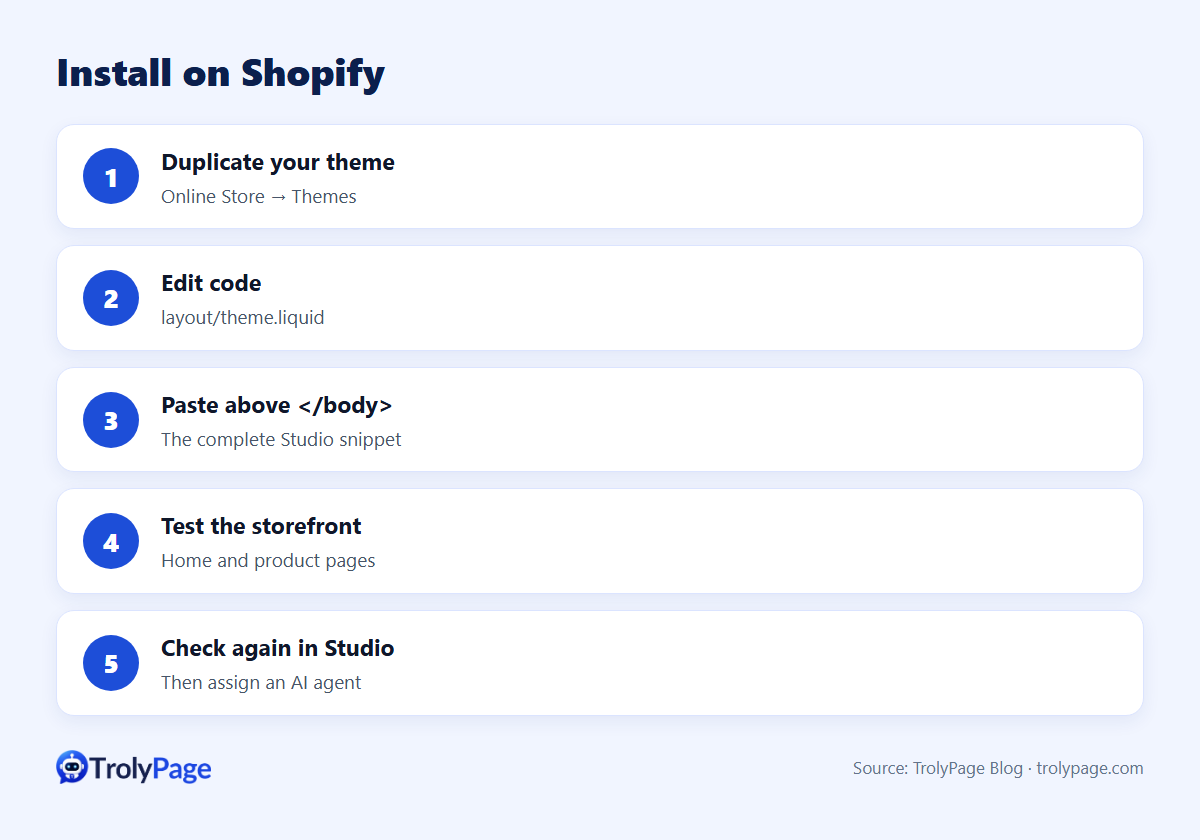
- Back up: in Shopify Admin, go to Online Store → Themes and duplicate the current theme.
- Edit code: open the current theme's actions menu → Edit code, then select
layout/theme.liquid. - Paste: find
</body>and paste the complete snippet from Studio just above it. - Save and test: open the public storefront (home and product pages) in a private window.
- Verify: in Studio, select Check again.
Illustrated guide: Install Website Chat on Shopify.
What shoppers ask, and what the AI needs to know
| Question | Data the AI needs |
|---|---|
| "Is this in stock in M?" | Variants and stock rules, or a hand-off rule |
| "How long is shipping to Texas?" | Shipping zones and times |
| "Can I return it?" | Return window and conditions |
| "Which size should I get?" | Size chart and fit notes |
| "Do you have a discount?" | Current offers only; never invent codes |
Best practices
- Show chat on product and cart pages, where questions block purchases.
- Test the AI with questions your data can't answer; it should hand off, not guess.
- Route chats into the same inbox as social DMs so one team covers everything.
- Review a few AI conversations weekly and add missing facts.
Troubleshooting
- No widget: confirm the channel is Published and your store domain is allowed.
- Appears twice: the snippet was added in more than one place.
- Still "not detected": open a live storefront page, not the theme editor preview, then check again.
Test Shopify live chat after publishing
Test a product page with several variants, an out-of-stock product and a cart page on mobile. Ask the price and delivery time with no product name, then check that the assistant asks which item you mean. Recheck after publishing or switching themes.
FAQ
Is there a Shopify app?
This is a code installation. There's no native TrolyPage Shopify app for Website Chat. TrolyPage also lists a separate Shopify integration on its integrations page.
Will theme updates remove the snippet?
Switching or updating themes can. Re-check after theme changes.
Written by the TrolyPage team. Updated November 2026.