Website Live Chat
2 min read
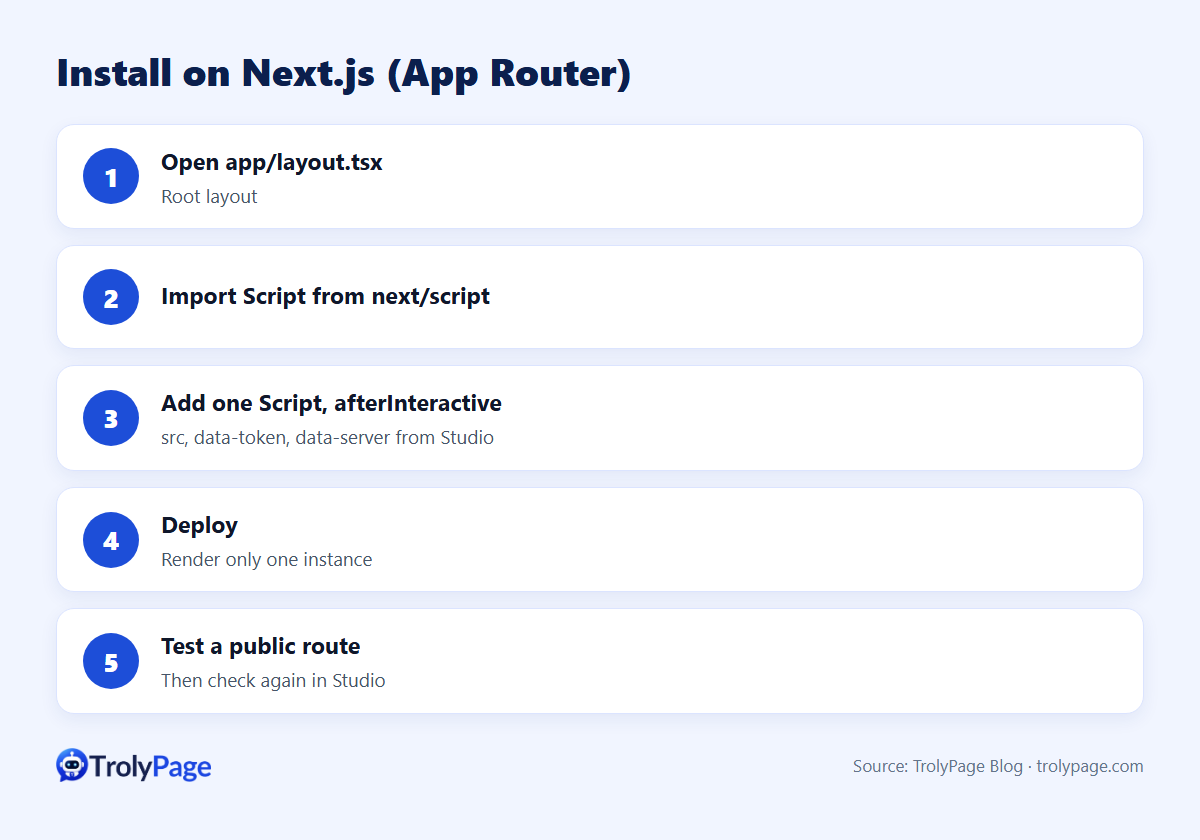
To add a chat widget to a Next.js App Router app:
- Open
app/layout.tsxand importScriptfromnext/script. - Render one
<Script>withstrategy="afterInteractive"in the root layout, passing the widget'ssrcand data attributes. - Deploy, then check a public route.
Render it only once, in the root layout, so it isn't duplicated across routes.
Example
Copy the public embed values from the Website Chat snippet generated in Studio. The browser can read these values. Keep workspace API keys and other private credentials on the server.
// app/layout.tsx
import Script from 'next/script';

export default function RootLayout({ children }: { children: React.ReactNode }) {
  return (
    <html lang="en">
      <body>
        {children}
        <Script
          src="[SRC_FROM_STUDIO]"
          data-token="[TOKEN_FROM_STUDIO]"
          data-server="[SERVER_FROM_STUDIO]"
          strategy="afterInteractive"
        />
      </body>
    </html>
  );
}
Steps
- Publish your Website Chat channel in Studio and copy the snippet.
- Transfer
src,data-tokenanddata-serverexactly to theScriptcomponent. - Deploy.
- Open a public route on the deployed domain, confirm the widget, then select Check again in Studio.
Guide: Install Website Chat on Next.js.
Gotchas
| Issue | Fix |
|---|---|
| Widget loads twice | Remove extra Script tags from nested layouts or pages |
| Blocked by CSP | Allow the widget's script and connection domains in your Content Security Policy |
| Doesn't load locally | Make sure the domain you're testing is allowed in Studio |
| Pages Router project | Put an afterInteractive script in pages/_app.tsx for site-wide loading or on a specific page. Keep a single instance. |
Test Next.js live chat after publishing
Test a hard refresh, then navigate between two App Router pages with client-side links. Check that chat loads once, that navigation preserves the intended conversation, and that pages excluded from the widget never load its script.
FAQ
Why afterInteractive?
It loads the script after the page becomes interactive, so it doesn't block initial rendering.
Can I identify logged-in users?
Check TrolyPage's current Website Chat documentation for identity options before passing user data.
References
Written by the TrolyPage team. Updated November 2026.