Use a feed or search that Threads has already loaded. The first goal is to collect a small set of relevant conversations you can read.
Before you begin
Open Threads in its desktop layout and confirm your signed-in profile. If you work from search, select Recent. TrolyThreads can scan the loaded posts and refresh that view; it cannot promise every matching post on the platform.
Choose the words people actually use
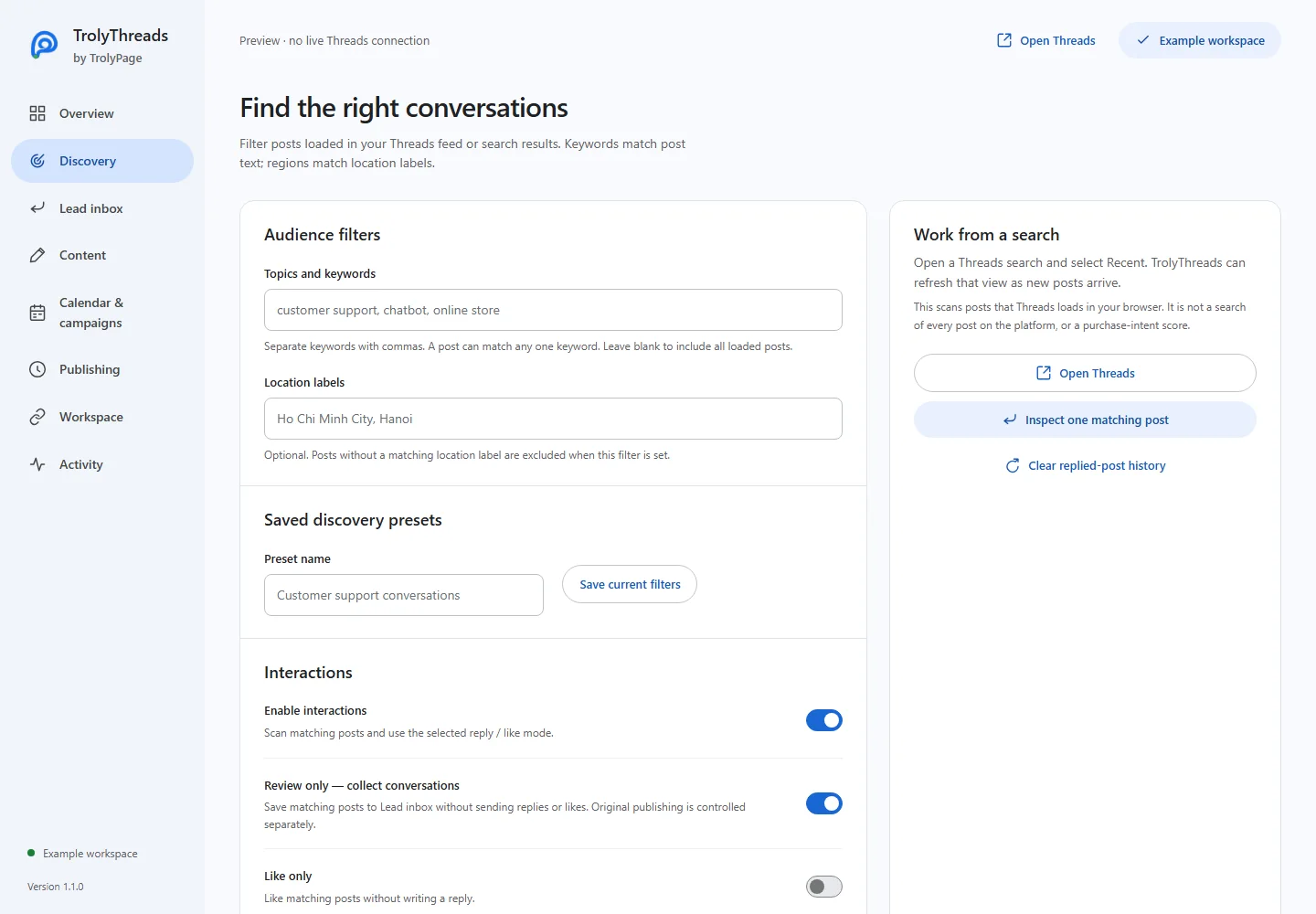
In Discovery, enter Topics and keywords separated by commas. A post can match any listed term. Add phrases that describe the subject you can help with, rather than a long unrelated list.
Add a location only when it matters
Use Location labels when you want posts carrying a matching location. Posts without that label will be excluded. Leave the location filter blank if geography is not part of your reading task.
Keep Review only on and save the filter
Keep Review only — collect conversations enabled. Name the preset and Save current filters when you want to reuse it, then Save changes. Check that interval original-post publishing is off unless you intend that separate action.
Start and read the captured posts
Start patrol with the relevant Threads tab available. Open Lead inbox to inspect captures and follow their original links. Stop when you have enough context; a keyword match does not prove that its author wants a sales reply.
If the inbox stays empty
Check whether the tab has loaded posts containing a keyword and, when set, a matching location label. Try a narrower relevant search or remove an unintended location requirement. Do not assume an empty result means there are no such conversations elsewhere.