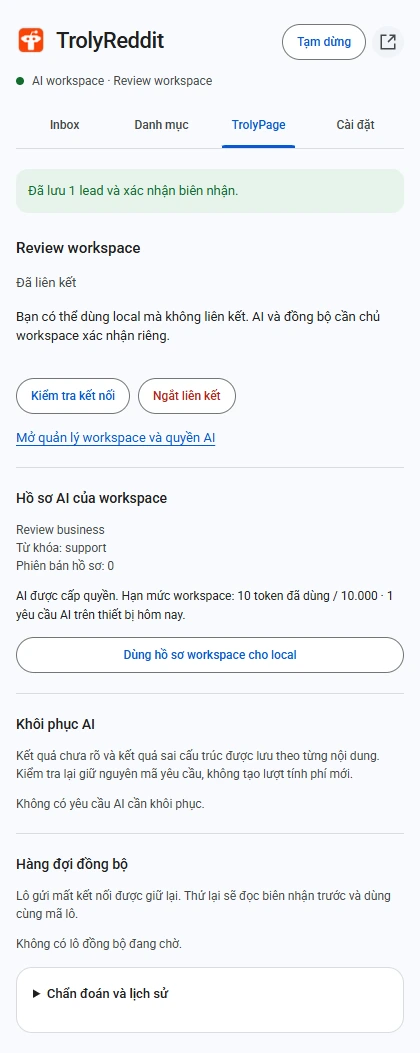
Prepare permission and context
Installation does not grant AI permission. An owner or administrator approves the device in the workspace and can change that permission later.
Enable the integration and check pairing
TrolyReddit is disabled by default. In TrolyPage, open Integrations → TrolyReddit → Enable, then Channels & Social → Automated Posting → TrolyReddit to review the extension’s pairing code. Confirm the workspace and AI permission before changing mode.
Set the cloud profile
Have an administrator describe the offer, audience, and exclusions in TrolyPage. Check the profile version read by the extension.
Set a daily cap
Choose a browser request cap, then switch to TrolyPage AI. Scoring and reply drafts share that cap.
Try a small reading session
Reread labelled posts against what the author actually said. Inspect token allowance and AI status in the TrolyPage tab.
When an AI outcome is unclear
Open recovery and inspect the existing request. A network error or malformed result is not a reason to automatically create a new paid request.
- Without permission or allowance, check with an administrator or use local mode.
- For uncertain results, retain the request identity for reconciliation.
- An AI score does not establish the author’s consent to contact.