Facebook Messenger
3 min read

To hide spam comments on a Facebook Page automatically, use Facebook's built-in moderation tools.
- Blocked keywords: comments containing them are hidden from everyone except the commenter and their friends.
- Profanity filter.
- Moderation Assist: hides comments by rule, such as comments with links or images, or from new accounts or accounts without a profile photo.
Then review hidden comments daily so real customers don't get hidden by mistake.
Common types of comment spam
| Type | Example | How to block |
|---|---|---|
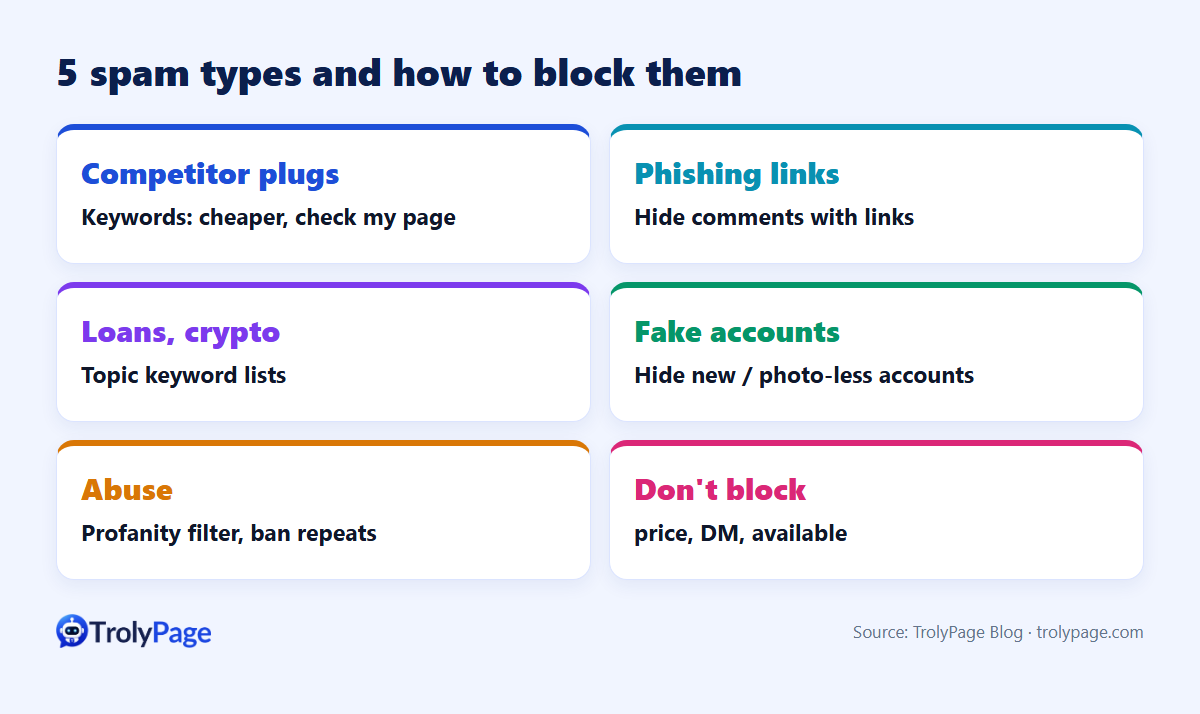
| Competitor plugs | "We sell this cheaper, DM us" | Keywords: "cheaper", "check my page" |
| Phishing links | Short links, "claim your prize" | Hide comments with links; keywords: "prize", "winner", "bit.ly" |
| Loans, crypto, gambling | "Fast loans, no credit check" | Topic keyword lists |
| Fake account waves | Identical comments from new profiles | Hide comments from new or photo-less accounts |
| Abuse | Insults, slurs | Profanity filter; ban repeat offenders |
How to set it up
Blocked keywords
- Open your Page settings and find the moderation section. Depending on your Page version, it's under Privacy → Public posts, or Page moderation.
- Add keywords and phrases, one per entry.
- Save. New comments containing them are hidden automatically.
Moderation Assist
In the Page's professional dashboard, Moderation Assist lets you choose automatic rules, such as hiding comments with links, images or custom keywords, or from new accounts. Public guides say its keyword list is large and catches variants like misspellings. Availability can differ by Page version, so check yours.
Profanity filter
Set it to medium or strong. Strong may hide some slang, so review hidden comments in the first week.
Don't hide your customers
- Don't block buying words like "price", "DM" or "available". Those are customers.
- Think before hiding all links: some customers paste product links to ask questions.
- Real negative feedback isn't spam. Hiding genuine complaints damages trust if people notice. Reply and fix the issue.
- Review hidden comments daily and unhide false positives.
Hide vs delete vs ban
| Action | What happens | Use for |
|---|---|---|
| Hide | Only the commenter and their friends see it | Spam, personal data, mild issues |
| Delete | Removed for everyone | Scams, illegal content |
| Ban | Person can't interact with the Page | Repeat spammers only |
Managing comments at scale
Use Meta’s moderation tools for Facebook comments. For a customer who moves into Messenger, TrolyPage can handle the conversation in its shared inbox once the Page is connected. The feature page lists YouTube as the currently supported comment management channel.
FAQ
Hide or delete spam?
Hide first, so spammers don't notice and change tactics. Delete and report scams or serious violations.
Do keyword filters catch images?
No. Keywords only filter text. Use an image rule if your Page has one, or moderate manually.
Written by the TrolyPage team. Updated November 2026. Facebook menu names and moderation features vary by Page.