Facebook Messenger
3 min read

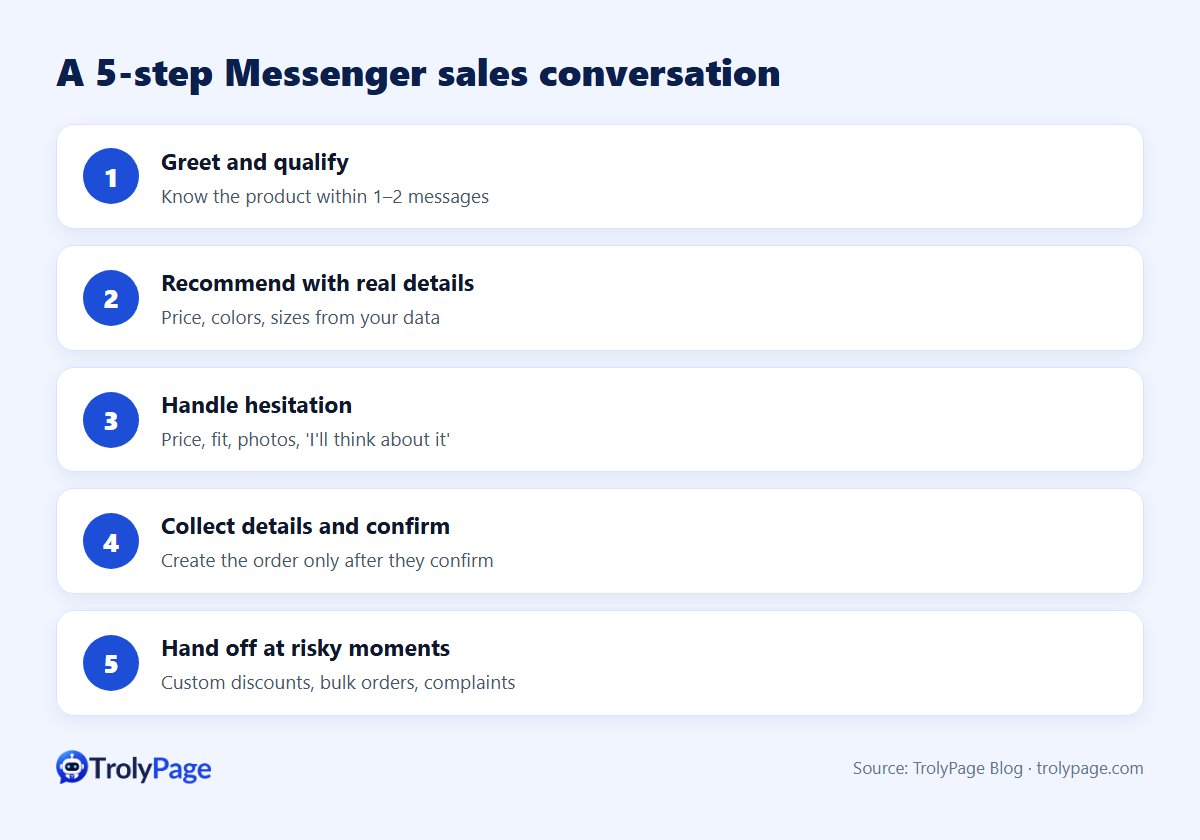
Selling on Facebook Messenger works best as a short, predictable conversation in five steps:
- Greet and find out what the customer wants.
- Recommend the right product with real details.
- Handle hesitation.
- Collect order details and confirm them back.
- Hand off to a person at the risky moments.
Speed matters more than clever copy: customers who ask about price are comparing shops, and the first clear answer often wins.
Step 1: Greet and qualify
Goal: know which product they want within one or two messages.
- "Hi! Which product are you looking at? Send a link or photo and we'll check stock."
- From an ad or post: "Are you asking about the [product] from our post?"
Step 2: Recommend with real details
- Price plus a choice: "It's $[price] in [colors]. Which color do you like?"
- Size help: ask for measurements and compare them with your size chart.
- One relevant add-on, only if it truly fits: "Most customers pair it with [item]. Want to see it?"
Step 3: Handle hesitation
| Customer says | Response | Hand to a human when |
|---|---|---|
| "Too expensive" | Explain value (material, warranty), offer a cheaper alternative | They ask for a custom discount |
| "Not sure it'll fit" | Share the exchange policy and garment measurements | Unusual measurements |
| "Does it look like the photo?" | Offer real photos or a video | They want a custom video call |
| "I'll think about it" | Ask what they're unsure about, no pressure | Never. Note it for a follow-up |
Step 4: Collect details and confirm
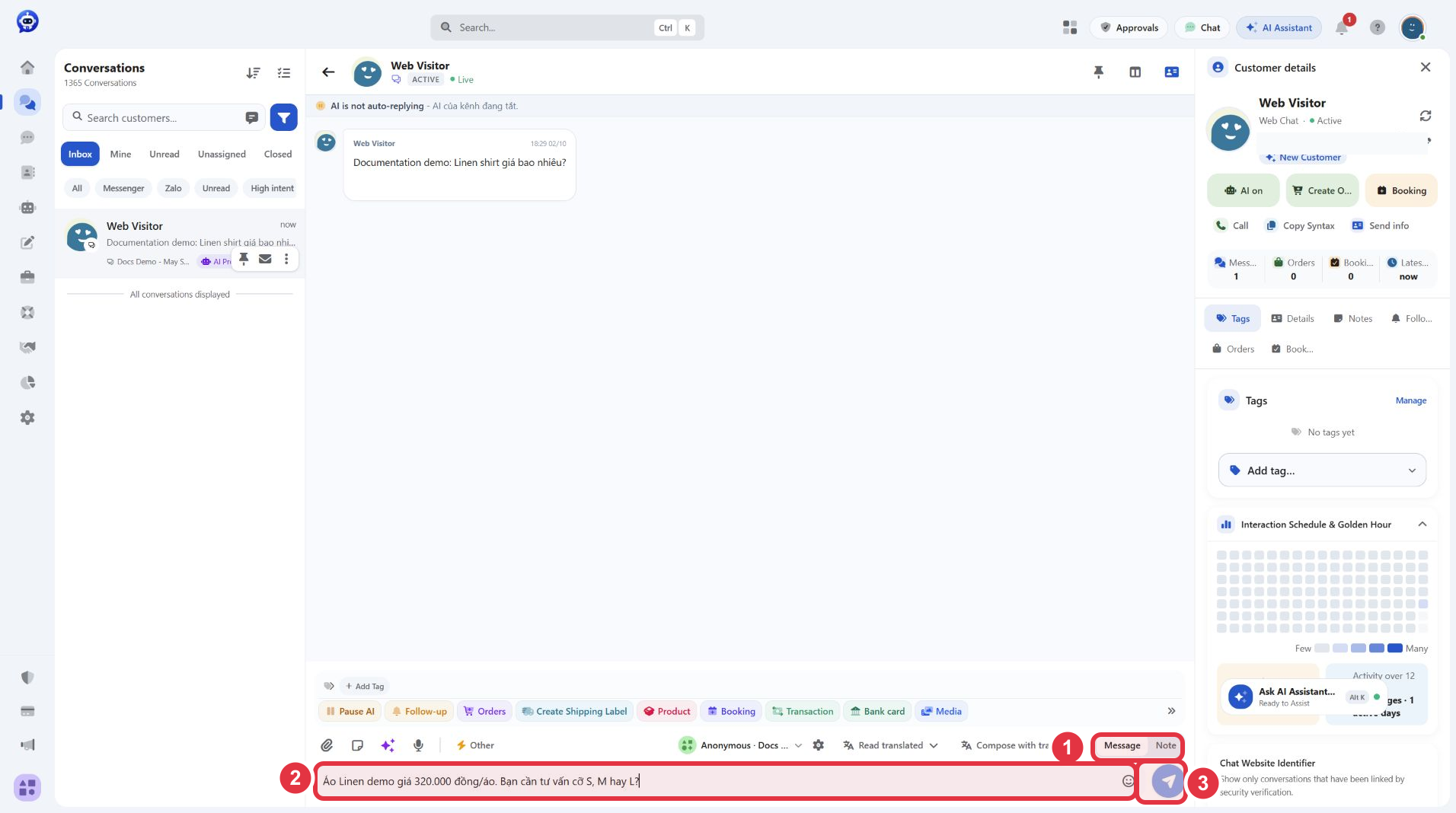
- Ask for everything at once: name, phone, address, product, size, quantity.
- Repeat it back: "To confirm: [product] size [M] × 1, total $[amount] including shipping, to [address]. Correct?"
- Create the order only after they confirm.
- Tell them what happens next: delivery date, payment, tracking.
In TrolyPage, product and customer details can sit next to the conversation so you can create the order from the inbox instead of copying it into a spreadsheet. Shipping label creation depends on the carriers you've connected and is currently focused on carriers in Vietnam.
Step 5: Hand off at the risky moments
- Custom discounts outside your current offers.
- Bulk or wholesale orders.
- Complaints, refunds and returns.
- Anything the AI can't find in your data.
- A customer who's frustrated or asks for a person.
When a teammate takes over, the AI should pause in that chat, and an internal note should say what was already quoted.
When the customer goes quiet
Prepare one helpful follow-up and send it within Messenger's 24-hour window. TrolyPage's Follow-up builds a reminder sequence for one conversation and stops automatically when the customer replies or buys.
Metrics worth tracking
- First response time.
- Share of conversations that reach the "order details" step.
- Orders with wrong details (size, address).
- Conversations handed to humans, and why.
FAQ
Should a bot create orders without human review?
Start with a human check before shipping. Remove it once you're confident the bot collects complete, correct details.
Buttons or free conversation?
Buttons are predictable but rigid; AI conversation is flexible but needs good data. Many shops let AI advise and use a fixed template for the final confirmation.
Written by the TrolyPage team. Updated November 2026.