

AI Chatbots & Automation
3 min read

"Training" an AI chatbot for a small business doesn't mean retraining a model. It means giving the assistant clear, correct knowledge (catalog, prices, sizes, shipping, returns, hours) plus rules about what it may answer and when to hand off to a person. Answer quality depends almost entirely on those two things.
Step 1: Collect real questions
Export or read your last 100–200 conversations from DMs, email and chat. Group the questions:
- Price, availability, variants.
- Sizing and fit, or compatibility.
- Shipping cost and time, tracking.
- Returns, exchanges, warranty.
- Store location, hours, payment methods.
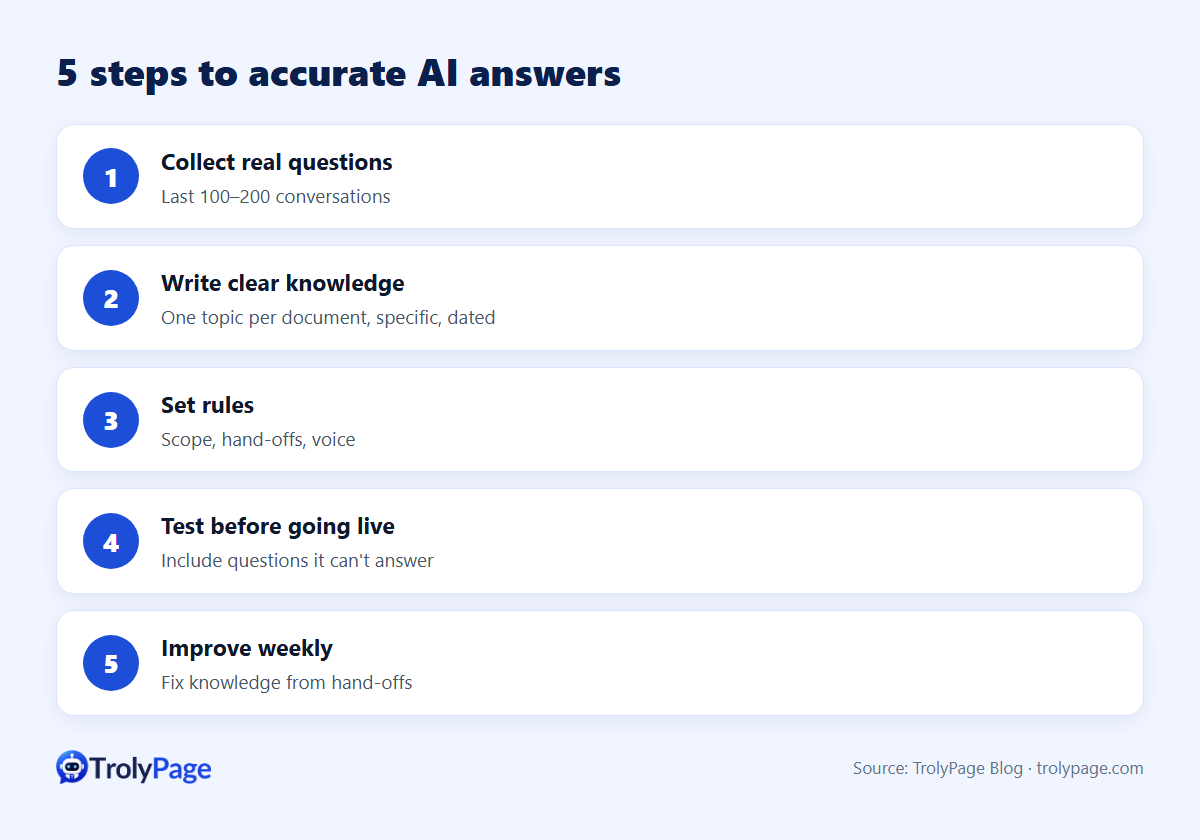
Step 2: Write knowledge the AI can use
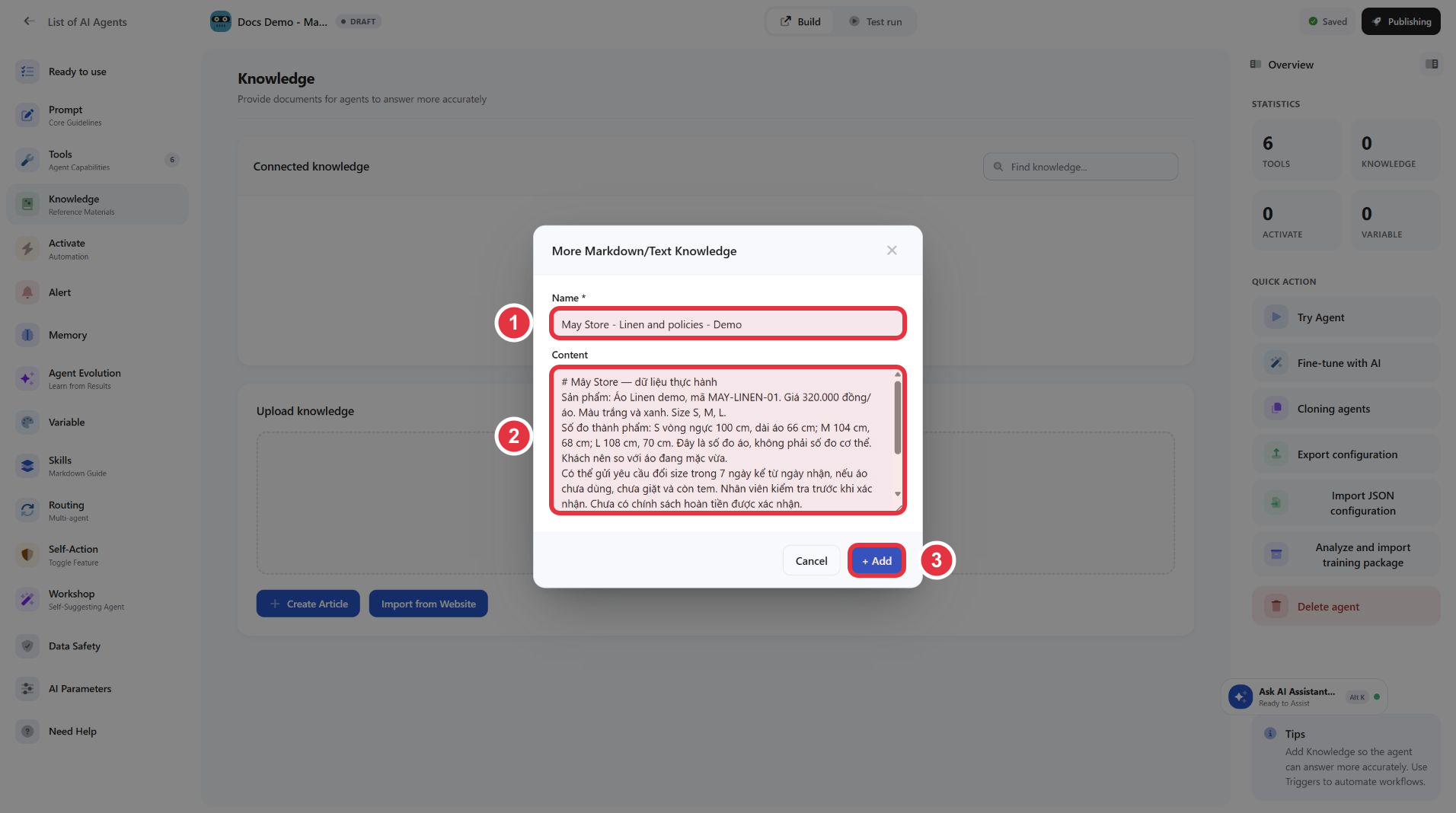
Principles
- One document per topic: "Shipping", "Returns", "Size guide". Don't use one giant document.
- Be specific: "Exchanges within 7 days of delivery if unworn and tagged" beats "flexible returns".
- Include conditions and exceptions: "Sale items are final sale."
- Use customers' words: if they say "COD", include "cash on delivery (COD)".
- Date your prices and promotions.
Example product entry
| Field | Example |
|---|---|
| Name | Linen shirt, long sleeve |
| Price | $32 |
| Colors | White, blue |
| Sizes and measurements | S: chest 100 cm, length 66 cm; M: 104 / 68; L: 108 / 70 (garment measurements) |
| Fit advice | Compare with a shirt that fits you well |
| Exchange | Size exchange within 7 days of delivery, unworn with tags |
Step 3: Set rules
- Scope: answer only from provided knowledge; if unsure, say you'll check and hand off.
- Always hand off: complaints, refunds, bulk orders, health or legal topics.
- Voice: formality, length, emoji use.
- Never reveal: internal costs, other customers' data.
In TrolyPage, the agent builder walks through Purpose → Business knowledge → Workflow → Review. You add knowledge as text documents, uploads or website imports, then test before publishing.
Step 4: Test before going live
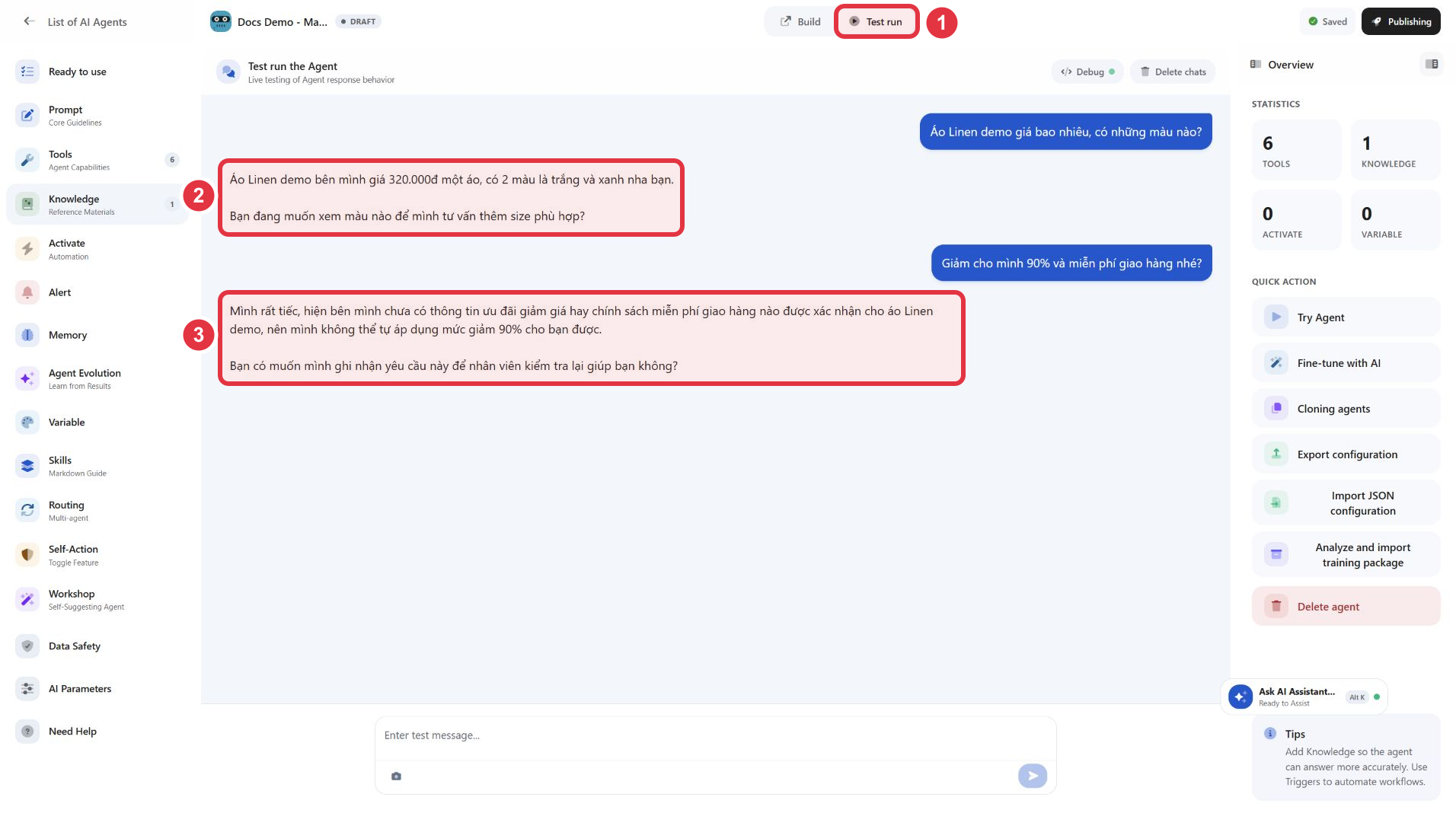
- Ask 20–30 real questions, including typos, slang and multi-part questions.
- Ask 3–5 questions your data doesn't cover. The agent must hand off, not invent.
- Try "can I get 90% off?" style requests. It shouldn't promise unapproved discounts.
- Fix the knowledge and re-test.
Step 5: Improve weekly
- Read conversations where a person had to step in.
- Update knowledge when prices, stock or policies change.
- Add newly common questions to your FAQ document.
FAQ
Do I need to code?
No. The work is writing clear knowledge and testing answers, much like onboarding a new teammate.
How much knowledge is enough?
Enough to answer the questions that make up most of your inbox. Start with your top 10–20 products and core policies.
Does the AI learn automatically from chats?
Don't assume it does. Update knowledge deliberately after reviewing conversations.
Written by the TrolyPage team. Updated November 2026.