Instagram & Threads
3 min read

The best free way to schedule Threads posts in 2027 depends on how you work.
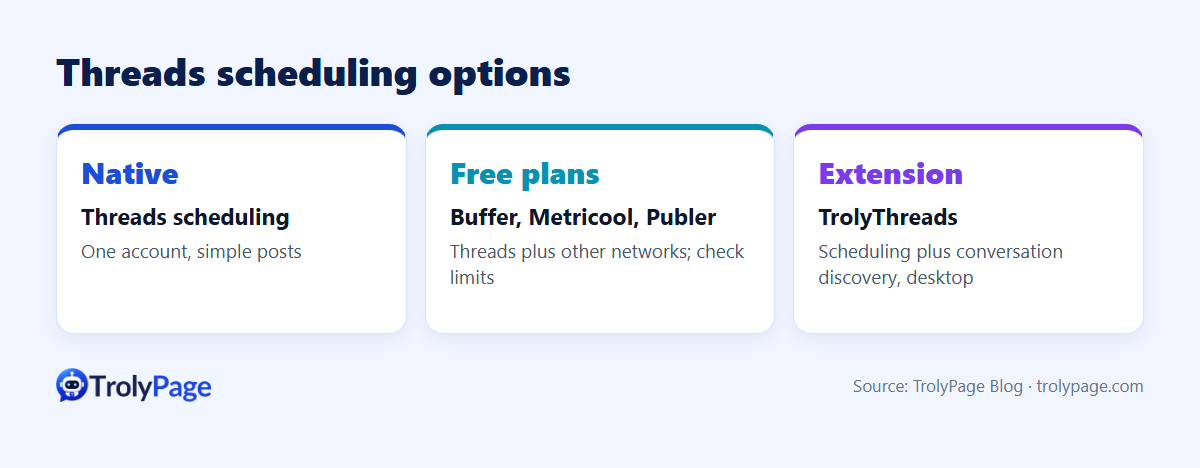
- Threads' own scheduling: one account, occasional posts.
- A social media scheduler with a free plan (Buffer, Metricool, Publer and similar): Threads alongside other networks.
- A browser extension like TrolyThreads: scheduling plus finding conversations to join, from your desktop.
Free plans change often, so treat the limits below as things to check, not guarantees.
Disclosure: this article is published by TrolyPage, which makes TrolyThreads. Information about other tools comes from their public pages and may change; check each vendor's current plan details.
Quick comparison
| Option | Best for | Watch out for |
|---|---|---|
| Threads native scheduling | One account, simple posts | No calendar view for a month of content, no team workflow |
| Buffer (free plan) | Small creators posting to a few networks | Limits on channels and queued posts in the free plan |
| Metricool (free plan) | Scheduling plus basic analytics | Free-plan limits on brands and features |
| Publer (free plan) | Multi-network scheduling on a budget | Free-plan limits on accounts and scheduled posts |
| TrolyThreads (Chrome extension) | Scheduling plus discovering conversations and leads on Threads | Desktop only; Chrome and a Threads tab on the right account must stay open for schedules to run |
What to look for in a Threads scheduler
- Publishing method: direct publishing via official integration, or a reminder you post yourself?
- Media support: images and video within Threads limits.
- Character counter: A standard Threads post allows up to 500 characters. Check whether your scheduler supports longer text attachments as a separate format.
- Calendar view for planning a week or month.
- Engagement help: scheduling is half the job; replying and joining conversations drives growth on Threads.
TrolyThreads in detail
TrolyThreads is a desktop Chrome/Edge extension from TrolyPage:
- A 500-character composer with a live counter, plus one image or video (files under 20 MiB).
- Scheduled posts that run from your browser. Keep Chrome and a Threads tab open on the right account.
- Discussion discovery and a lead inbox in the same window, to find conversations worth joining.
- Runs locally, with optional TrolyPage workspace sync and AI. Browser extensions are included in TrolyPage plans, including Free.
Which should you pick?
- Just Threads, a few posts a week: native scheduling.
- Threads plus Instagram, LinkedIn and others: a multi-network scheduler.
- Threads as a growth channel where you also reply to relevant conversations: TrolyThreads.
FAQ
Does scheduling reduce reach on Threads?
There's no solid evidence it does. Replying to comments soon after posting matters more.
Can I schedule Threads from my phone?
Native scheduling works in the app. TrolyThreads is desktop-only.
References
Written by the TrolyPage team. Updated November 2026.