Instagram & Threads
3 min read
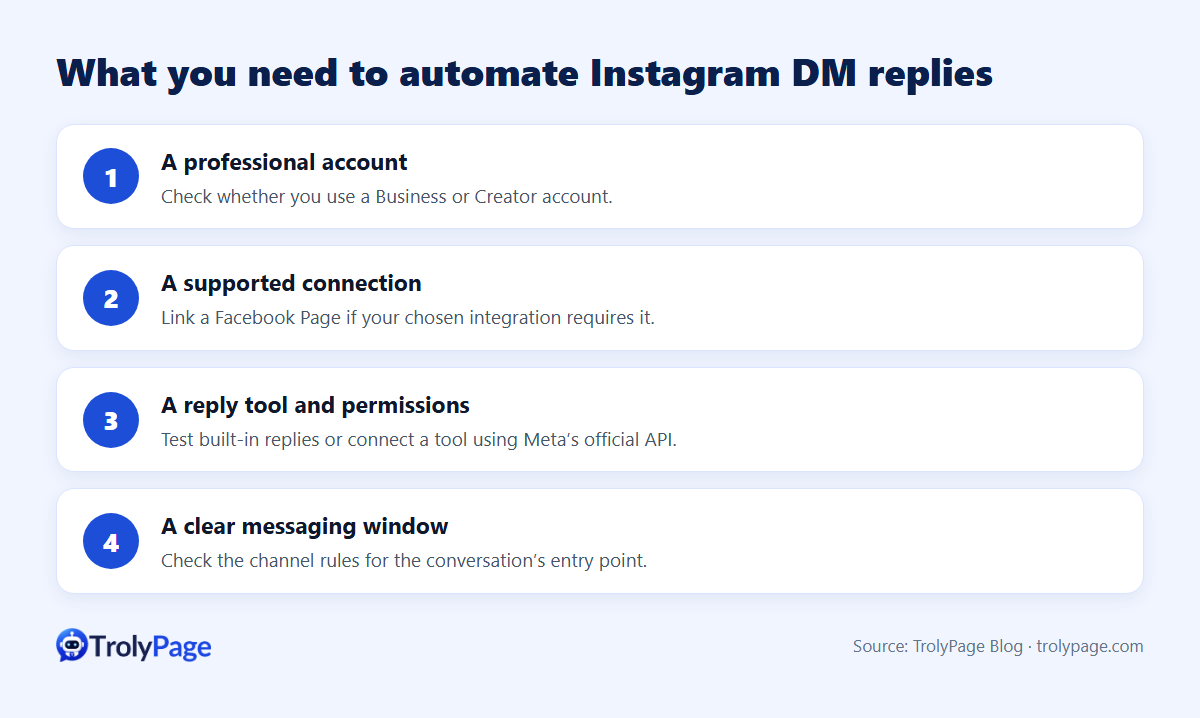
To auto-reply to Instagram DMs as a business you need three things:
- A professional account (Business or Creator).
- That account linked to a Facebook Page in Meta's business tools.
- A reply tool: Meta's built-in automations, or an AI chatbot connected through Meta's official API.
Instagram’s standard send window is 24 hours. Meta documents different timing for eligible ad-originated conversations in its messaging changelog. Check permissions for your integration before scheduling follow-ups.
Step 1: Prepare the account
- Switch to a professional account in Instagram settings (Account type and tools).
- Link Instagram to your Facebook Page in Meta Business Suite or Page settings.
- If you use an external tool, allow connected tools to access messages in Instagram's message settings.
Option 1: Meta's built-in automations
In Meta Business Suite → Inbox → Automations you can usually enable instant replies, away messages and FAQs for Instagram (availability varies by account). In the Instagram app, saved replies let you insert prepared answers with a shortcut.
They're free and fine for greetings. But they're fixed text and can't understand free-form questions.
Option 2: An AI chatbot for Instagram DMs
An AI agent reads each DM and answers from your product and policy data, the same way it does on Messenger. In TrolyPage:
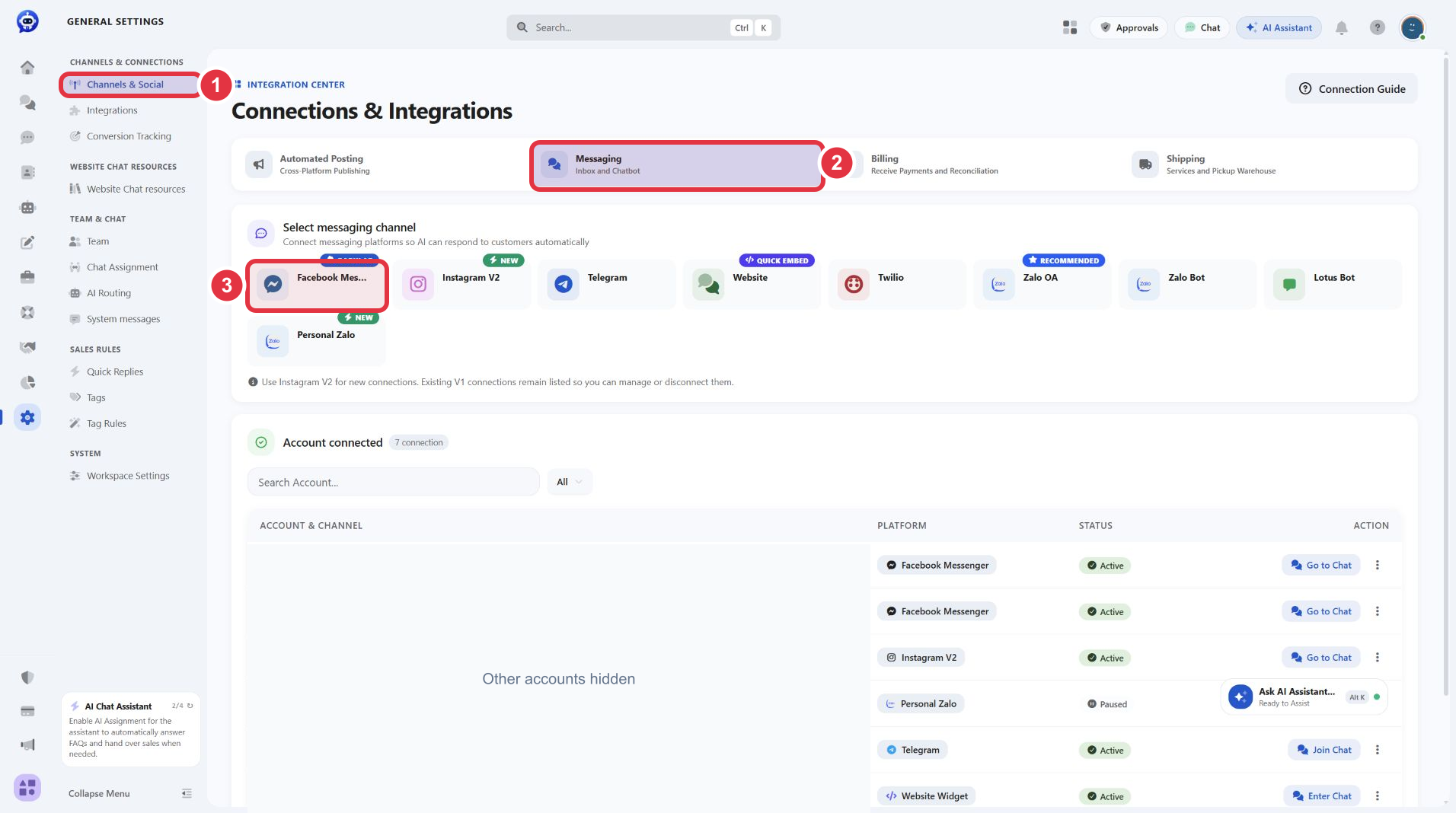
- Go to Channels & Social → Messaging → Instagram, sign in and grant permissions. The interface recommends the newer V2 connection for new accounts.
- Confirm the Instagram row appears in your channel list.
- Assign an AI agent with your store knowledge to the Instagram channel, test it, then turn it on.
- Instagram DMs appear next to Messenger, Telegram and website chat in one inbox, so your team doesn't switch apps.
DM reply templates
| Customer sends | Suggested reply |
|---|---|
| Story reply: "Price?" | "The one in our story is $[price] and available in [colors/sizes]. Want more real photos?" |
| "Where can I buy?" | "You can order right here. Send your size and city, or shop at [link]." |
| Shares your post | "Are you interested in the [product] from this post? Happy to check stock for you." |
| Collab request | "Thanks for reaching out! Send your profile and idea and our team will reply within [time]." |
Rules to respect
- 24-hour window: after 24 hours from the customer's last message, sending is limited by Meta's policies.
- Message requests: DMs from people who don't follow you may land in requests. Check that folder if you use the app.
- No mass DMs to strangers: Instagram restricts accounts that send bulk unsolicited messages.
- Stories and comments drive DMs: keep your bot's data current for whatever you're featuring right now.
FAQ
Can a personal Instagram account use a chatbot?
Not through the official API. Switch to a professional account and link it to a Facebook Page.
Can one chatbot handle Facebook and Instagram?
Yes, if the tool supports both. Using the same knowledge keeps answers consistent across channels.
What does it cost?
Meta's built-in automations are free. TrolyPage paid plans start at $8/month as of November 2026; see pricing.
Written by the TrolyPage team. Updated November 2026. Instagram and Meta menu names vary by account.