Instagram & Threads
3 min read

You can schedule Instagram posts and Reels natively in Meta Business Suite's Planner, and in the Instagram app for professional accounts. Story scheduling is available in Business Suite for many accounts. Third-party schedulers add multi-account calendars, approvals and cross-posting. What matters most is preparing the right formats: 4:5 for feed and 9:16 for Reels and Stories.
Option 1: Meta Business Suite Planner
- Open Planner (or Content → Create post) in Meta Business Suite.
- Choose your Instagram account (and Facebook Page if cross-posting).
- Add media and caption, then pick Schedule with a date and time.
- For Stories and Reels, use the matching create option. Availability varies by account.
Pros: free and official. Cons: limited team workflow, and it only covers Meta platforms.
Option 2: Schedule in the Instagram app
Professional accounts can schedule posts and Reels from the app's advanced settings before sharing. It's handy for one-off posts, less so for planning a month.
Option 3: Third-party schedulers
Useful when you manage several brands, need approvals or post the same campaign to Instagram, Facebook, LinkedIn, TikTok or YouTube. Check whether a tool publishes directly through the official API or sends a reminder for you to post manually. Stories and some Reel features are often reminder-only.
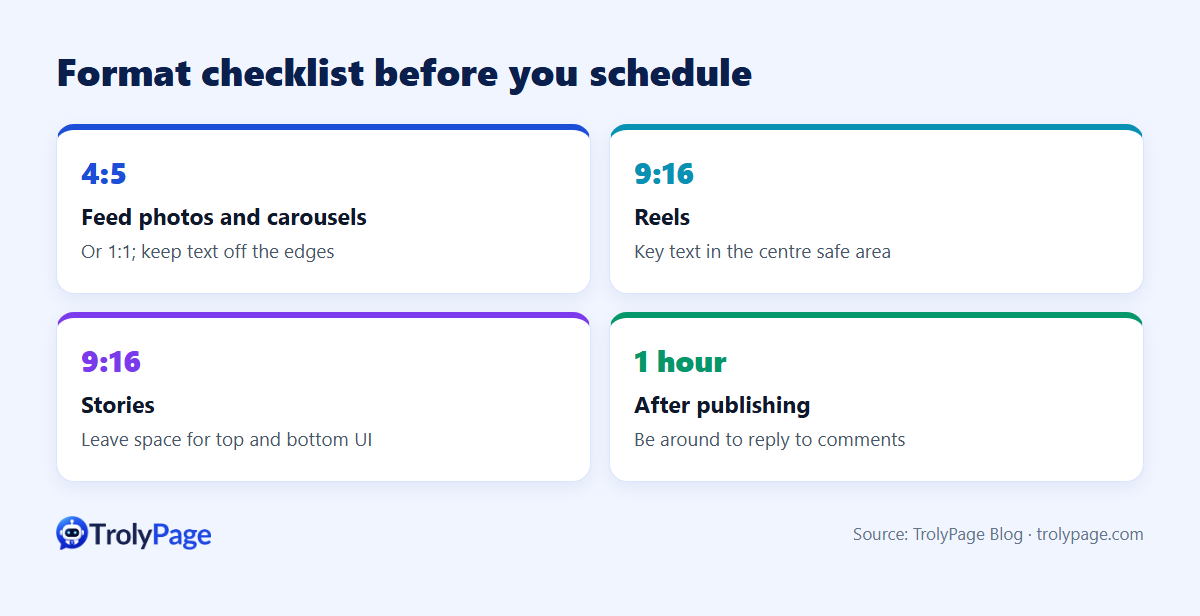
Format checklist before you schedule
| Format | Aspect ratio | Tips |
|---|---|---|
| Feed photo or carousel | 4:5 (portrait) or 1:1 | Keep text away from edges |
| Reels | 9:16 | Keep key text in the centre safe area |
| Stories | 9:16 | Leave space at top and bottom for UI elements |
A simple weekly workflow
- Monday: plan the week, with 3 feed posts, 2–3 Reels and daily Stories.
- Tuesday: batch-create media in the right ratios.
- Wednesday: write captions; prepare first comments and hashtags.
- Thursday: schedule everything; update your DM bot's knowledge for featured products.
- Daily: reply to comments and DMs within the first hour after publishing.
About TrolyIG
TrolyPage is building TrolyIG, a desktop Chrome extension for drafting Photo posts, Reels and Stories. It has safe-crop previews for 4:5 and 9:16, local draft backup and optional workspace AI for captions. As of November 2026 it's in internal preview and the public download isn't open yet. See the extensions page for status.
FAQ
Does scheduling hurt reach?
There's no reliable evidence that scheduling through official tools reduces reach. Being around to reply after the post goes live matters more.
What's the best time to post?
Check Instagram Insights for when your followers are most active, then test two or three slots for a few weeks.
Written by the TrolyPage team. Updated November 2026. Feature availability varies by account and region.